The invoice comes through clean. All the fields populate correctly. The amounts add up. Everything looks perfect until someone notices the ship date is three months after the delivery date. Or the discount percentage exceeds the contracted maximum by exactly 0.5%. Or the vendor code doesn't match any active supplier in your system.
These errors slip through because basic validation can't see relationships. Traditional checks ask simple questions: Is this field filled? Is this a number? Does it fall within a range? Those questions matter, but they miss the context that makes data meaningful. Real-world documents don't fail in isolation. They fail in patterns, sequences, and relationships that single-point validation can't catch.
This is where intelligent validation separates document processing systems that work from ones that just look like they work.
Single-rule checks fail because documents aren't just collections of fields. They're structured data with dependencies, hierarchies, and business logic embedded in relationships between values. A purchase order isn't valid just because every field has something in it. It's valid when the total matches the line items, the vendor exists in your approved list, the ship-to address belongs to your company, and the order date makes sense relative to the requested delivery date.
Basic validation treats each field like an island. Is the total a number? Yes. Is the vendor code formatted correctly? Yes. Does the date follow the right pattern? Yes. The system gives you a green light even though the document violates three business rules that matter more than field formats.
The gap between technical validity and business validity is where expensive mistakes happen. Teams catch some errors during manual review. They miss others that create downstream problems in inventory, accounting, or compliance. The cost isn't just the immediate fix. It's the trust erosion that makes people second-guess automation entirely.
Documents fail in predictable ways when you understand their structure. Invoice line items should sum to the subtotal. The subtotal plus tax should equal the total. Dates follow logical sequences. Reference numbers point to real entities in your system. These aren't exotic edge cases. They're the basic requirements for documents to be useful, and they require validation that understands context.
Rule Types by Data View
Validation needs to match how data actually exists in documents. A field extracted from a form isn't the same as a line in a table, even though both end up as data points. The validation layer needs to understand these contexts and apply appropriate checks at each level.
Data View Validation Rules operate on extracted entities. These are your standard field-level checks, but they go beyond format validation. You're checking relationships between fields on the same document. If payment terms say "Net 30," does the due date actually fall 30 days after the invoice date? If the currency is USD, do all the amounts use the right decimal separator? These rules see the document as a collection of related attributes and verify the relationships make sense.
Table View Rules handle line item validation. This is where documents get complex. Each line has its own fields, and those fields need to be internally consistent. The quantity times unit price should equal the line total. All line totals should sum to match the document subtotal. If there's a discount column, it should apply correctly to each line. Table validation catches the arithmetic errors and logical inconsistencies that live in the grid structure of invoices, orders, and itemized documents.
File View Rules look at the document as a complete object. Does it have all required pages? Are pages in the right sequence? Does the filename follow your naming convention? Is the file type acceptable for this document category? These checks verify document integrity before you even start extracting data. They catch problems like missing pages, duplicate submissions, or files that don't meet your basic processing requirements.
Form View Rules validate before data enters your system. Think of these as the gatekeeper checks that happen at submission time. They're particularly useful for structured intake where you control the format. The form might require certain fields, enforce specific formats, or validate against business rules before allowing submission. This prevents bad data from ever reaching your processing pipeline.
Data Series Rules perform cross-reference validation against master data. This is where external context comes in. The vendor code on the invoice should exist in your vendor master file. The product SKU should match your catalog. The GL code should be a valid account in your chart of accounts. These rules verify that document data aligns with your authoritative data sources, catching references to entities that don't exist or have been deactivated.
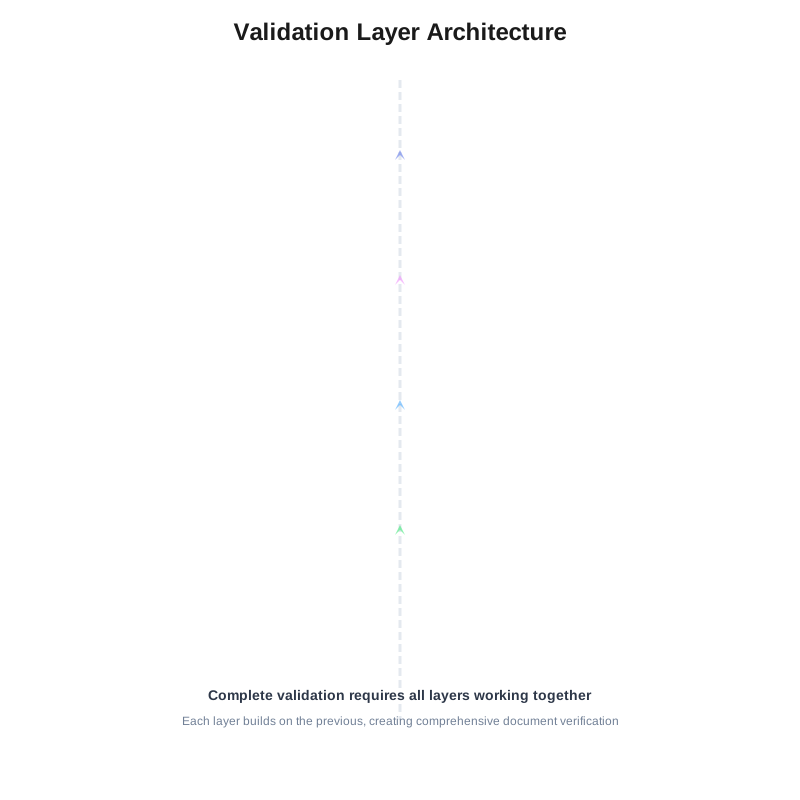
Each validation type serves a specific purpose. You need all of them because documents are multi-dimensional. A file that passes file-view checks can still fail at the data level. Data that looks clean can still reference invalid master records. Complete validation means checking at every relevant level and understanding how those levels relate to each other.
The Rule Builder
Writing validation logic without code changes how quickly you can adapt to new requirements. The rule builder gives you a visual interface for constructing logic that would normally require a developer. You're building boolean expressions and conditional logic using dropdowns, comparisons, and natural language operators.
Start with the field or data point you want to validate. The interface shows you available fields based on your context (data view, table view, etc.). Select your field, then choose your comparison type. Is it equal to something? Greater than? Does it match a pattern? Should it exist in a reference list?
Comparisons can be simple ("Invoice Total is greater than 0") or complex ("Invoice Total equals Sum of Line Items plus Tax Amount"). The builder lets you reference other fields, perform calculations, and chain conditions together with AND/OR logic. You're constructing validation expressions the way you'd describe them in plain language.
Conditional logic adds power. "If Payment Terms equals 'Net 30', then Due Date must equal Invoice Date plus 30 days." The condition comes first, then the validation that applies when that condition is true. You can nest conditions and create branching logic that handles different document scenarios.
The builder also supports field transformations. Maybe you need to compare dates but one is in MM/DD/YYYY format and the other uses YYYY-MM-DD. You can transform formats, extract substrings, convert data types, or apply functions before comparison. This flexibility means you can validate data even when it doesn't arrive in perfectly normalized form.
Error messages matter as much as the validation itself. The builder lets you define custom messages that explain what failed and why. Generic error messages like "Validation failed" don't help anyone fix the issue. Specific messages like "Total amount $5,432.10 doesn't match sum of line items $5,234.10 (difference: $198.00)" tell reviewers exactly what's wrong and give them the information they need to correct it.
Pattern Matching
Documents contain structured information that follows predictable patterns. Invoice numbers aren't random strings. They follow formats like "INV-2024-00123" or "2024/Q1/INV/00456." Pattern matching validates these formats and extracts meaning from structure.
Regular expressions (regex) are the standard tool for pattern validation. An invoice number pattern might be INV-\d{4}-\d{5} which means "INV-" followed by exactly four digits, a hyphen, and five more digits. The validation fails if the extracted value doesn't match this pattern. This catches malformed identifiers before they create problems downstream.
Date format validation is particularly important because dates appear in countless formats. MM/DD/YYYY, DD/MM/YYYY, YYYY-MM-DD, and variations with different separators all represent dates, but mixing formats creates chaos. Pattern validation enforces consistency. You can specify acceptable formats and reject anything that doesn't match, or you can use patterns to detect formats and normalize them.
Currency patterns validate monetary values. They check for proper decimal separators, currency symbols in the right position, and appropriate digit grouping. A pattern might verify that amounts use two decimal places, include commas for thousands, and have the currency symbol prefix. This catches formatting errors and ensures monetary data is clean and consistent.
ID patterns vary by industry and document type. Purchase order numbers, customer IDs, product SKUs, tracking numbers, they all have expected formats. Pattern validation verifies these identifiers conform to your standards. It also helps detect obvious errors like transposed characters or missing segments.
Custom patterns handle domain-specific requirements. Maybe your company uses a project code system where codes start with a department prefix, include a year identifier, and end with a sequential number. You can define a pattern that validates this structure and rejects codes that don't follow your naming convention. Pattern matching adapts to whatever structured data matters in your documents.
The power of patterns isn't just catching malformed data. It's enforcing standards that make your data queryable and consistent. When every invoice number follows the same format, you can parse it reliably. When dates use one format throughout your system, you avoid conversion errors. Pattern validation creates the consistency that makes automation possible.
Sequences: Chaining Rules Intelligently
This is where validation becomes intelligent. Rules execute in sequences where the output of one rule informs the next. You're building decision trees that adapt based on what they learn about the document.
Start with document type detection. Your first rule determines what kind of document you're processing: invoice, purchase order, shipping document, contract. This classification isn't just metadata. It determines which subsequent rules apply. An invoice needs different validation than a purchase order. You don't check for shipping addresses on contracts or payment terms on bills of lading.
Type-specific rules execute next. Once you know it's an invoice, you apply invoice-specific validation. Does it have all required invoice fields? Do the amounts calculate correctly? Is the vendor on your approved list? These rules only run if the document type check succeeded. There's no point validating invoice-specific requirements on a document that isn't an invoice.
Cross-reference validation comes after basic checks pass. You don't query your vendor master file if you haven't confirmed the document is an invoice with a vendor field. Sequencing saves processing time and makes error messages clearer. When a rule fails because a prerequisite wasn't met, you know exactly what's wrong.
Conditional branching handles variations. If the invoice is from a domestic vendor, apply domestic tax validation. If it's international, apply different rules for import duties and foreign exchange. The sequence branches based on data values, applying the right checks for each scenario.
Dependencies between rules create sophisticated validation logic. Rule B only executes if Rule A passes. Rule C needs Rules A and B to both succeed. You're constructing validation workflows that mirror your business logic. The system doesn't just check if data is present and formatted correctly. It verifies the data makes business sense given everything else it knows about the document.
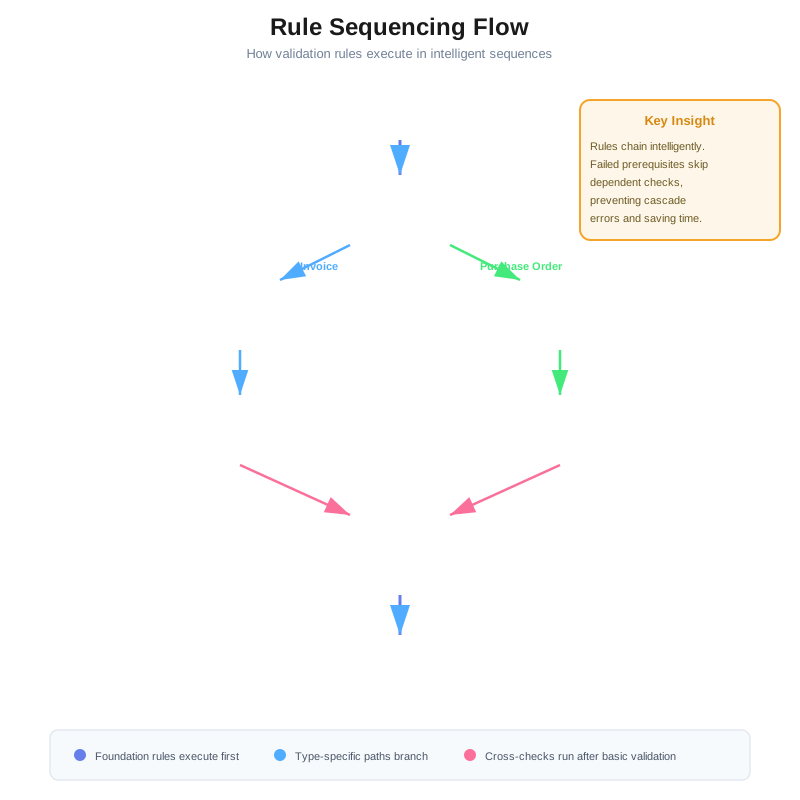
Error handling respects the sequence. When a rule fails early in the chain, the system can skip downstream rules that depend on it. You don't get cascading error messages for rules that couldn't run because prerequisites failed. The output is cleaner and errors are easier to interpret.
Sequence design requires thinking about validation holistically. Which checks are foundational? Which depend on others? What's the most efficient order? Good sequencing means rules execute in logical order, errors make sense in context, and processing doesn't waste time on checks that can't succeed given earlier failures.
Bulk Rule Execution
Running validation on individual documents is one thing. Running it across thousands of existing records is another. Bulk execution lets you apply new rules retroactively or audit your document repository for compliance issues.
The mechanics are straightforward. Select the rules you want to run, specify the document set you're validating, and execute. The system processes documents in batches, applies all selected rules, and generates a report of validation results. You see which documents passed, which failed, and exactly what rules triggered failures.
Backlog processing uses bulk execution to catch up when you implement new validation requirements. Maybe you added a rule requiring vendor tax IDs on all invoices. You need to know which existing invoices lack this information. Bulk execution runs the new rule against your historical data and identifies documents that need remediation.
Periodic audits verify data integrity over time. Run your validation suite monthly or quarterly to catch drift. Documents that were valid when processed might violate rules later if master data changed. A vendor that was active when the invoice was processed might now be inactive. Periodic bulk validation catches these situations.
Sampling works with bulk execution for quality checks. Instead of validating every document, run rules against a random sample. This gives you statistical confidence in data quality without the processing overhead of checking everything. If sample results show high error rates, you can expand to full validation.
Performance matters at scale. Bulk execution optimizes by batching database queries, caching reference data, and parallelizing rule evaluation where possible. You're not running rules document-by-document with database roundtrips for each one. The system groups queries, reuses connections, and processes efficiently.
Results export to reports and dashboards. You get summary metrics (pass/fail rates, most common errors), detailed listings of failed documents, and drill-down capability to see specific rule failures. This data drives process improvements. When you see patterns in validation failures, you know where to focus training or document improvements.
Rule refinement uses bulk results as feedback. If a rule triggers failures on 80% of documents, maybe the rule is too strict or doesn't account for valid variations. Bulk execution helps you test rules at scale and tune them before they cause problems in production.
A manufacturing company processes 2,000 supplier invoices monthly. They've automated extraction but manual review still catches 15% of invoices with errors. Most errors are contextual: amounts don't match purchase orders, shipping dates make no sense, or vendors charge for items not ordered.
They implement sequenced validation starting with document type detection. The first rule identifies invoices versus credit memos versus statements. Each document type gets a different validation path.
For invoices, the sequence continues with basic field validation. Required fields must be present: vendor name, invoice number, date, total amount, line items. Format validation ensures dates follow MM/DD/YYYY format and amounts use two decimal places. These checks catch obvious extraction failures.
Table view rules validate line items next. Each line's quantity times unit price must equal the line total. The sum of all line totals must match the subtotal. If there's a discount, it applies correctly. These arithmetic checks catch common data entry errors from vendors.
Data series validation cross-references against master data. The vendor code must exist in the approved vendor list. Each product SKU on the line items must match the product catalog. The purchase order number referenced on the invoice must exist in the PO system and be in open or partially received status.
Business logic rules come last. The invoice date can't be in the future. If there's a PO match, the invoice total can't exceed the remaining PO balance by more than 5%. Shipping dates must be after order dates but before invoice dates. Payment terms must match the vendor's standard terms unless specifically authorized.
Pattern matching validates structured identifiers. Invoice numbers follow the pattern [A-Z]{2,3}-\d{8} (two or three letters, hyphen, eight digits). Purchase order numbers match PO\d{10}. SKUs follow [A-Z]{3}\d{5}[A-Z] (three letters, five digits, one letter).
The validation sequence catches errors that manual review would miss. An invoice references PO-0012345678, which exists, but it's a purchase order for a different vendor. The cross-reference catches this. Line item quantities use decimals when the product catalog shows that SKU is only sold in whole units. The table validation flags this inconsistency.
When they implement this validation, the error detection rate jumps from 15% to 34%. The difference isn't worse data. It's catching errors that previously slipped through to cause problems in accounting or inventory. The false approval rate drops to near zero. Manual review time decreases by 60% because reviewers focus on genuine exceptions, not hunting for errors the system should catch.
Bulk execution helps with the transition. They run the new validation rules against the prior six months of invoices. This identifies 147 invoices that were approved but shouldn't have been. The finance team investigates, finds duplicate payments, incorrect tax calculations, and charges for items never received. The cleanup recovers $43,000 and identifies vendor billing patterns that need correction.
They refine rules based on bulk results. One rule flagged invoices where the total was within $10 of the PO balance as potential exceptions. Bulk validation showed this caught legitimate partial deliveries 95% of the time. They adjust the threshold to $50 and add an exception for invoices marked as final delivery. The refined rule reduces false positives while maintaining catching real errors.
The validation system becomes self-improving. As new edge cases appear, they add rules to catch similar situations. When business requirements change (new payment terms, different discount structures), they update rules to match. The validation framework adapts with the business instead of requiring code changes and development cycles.
When Validation Becomes Infrastructure
Validation rules that think change how document processing works. You're not just checking if data extracted correctly. You're verifying that documents make business sense, comply with your requirements, and integrate properly with your systems.
The difference shows up in what slips through versus what gets caught. Simple validation misses contextual errors. Intelligent validation catches them before they create problems. The cost of prevention is always lower than the cost of cleanup.
Teams that build sophisticated validation report higher straight-through processing rates and lower exception volumes. Not because their documents are cleaner, but because their validation accurately distinguishes between real exceptions and acceptable variations. Reviewers spend time on decisions that require judgment instead of hunting for errors the system should catch.
The investment in proper validation rules pays back quickly. The alternative is manual review that scales linearly with document volume, errors that escape into downstream systems, and the constant tension between automation speed and accuracy. Validation rules let you have both: fast processing that's also reliable.
Documents will always have variations and edge cases. The question is whether your validation adapts to handle them or forces you back to manual review. Sequences, patterns, and bulk execution build validation that scales with your business instead of against it.