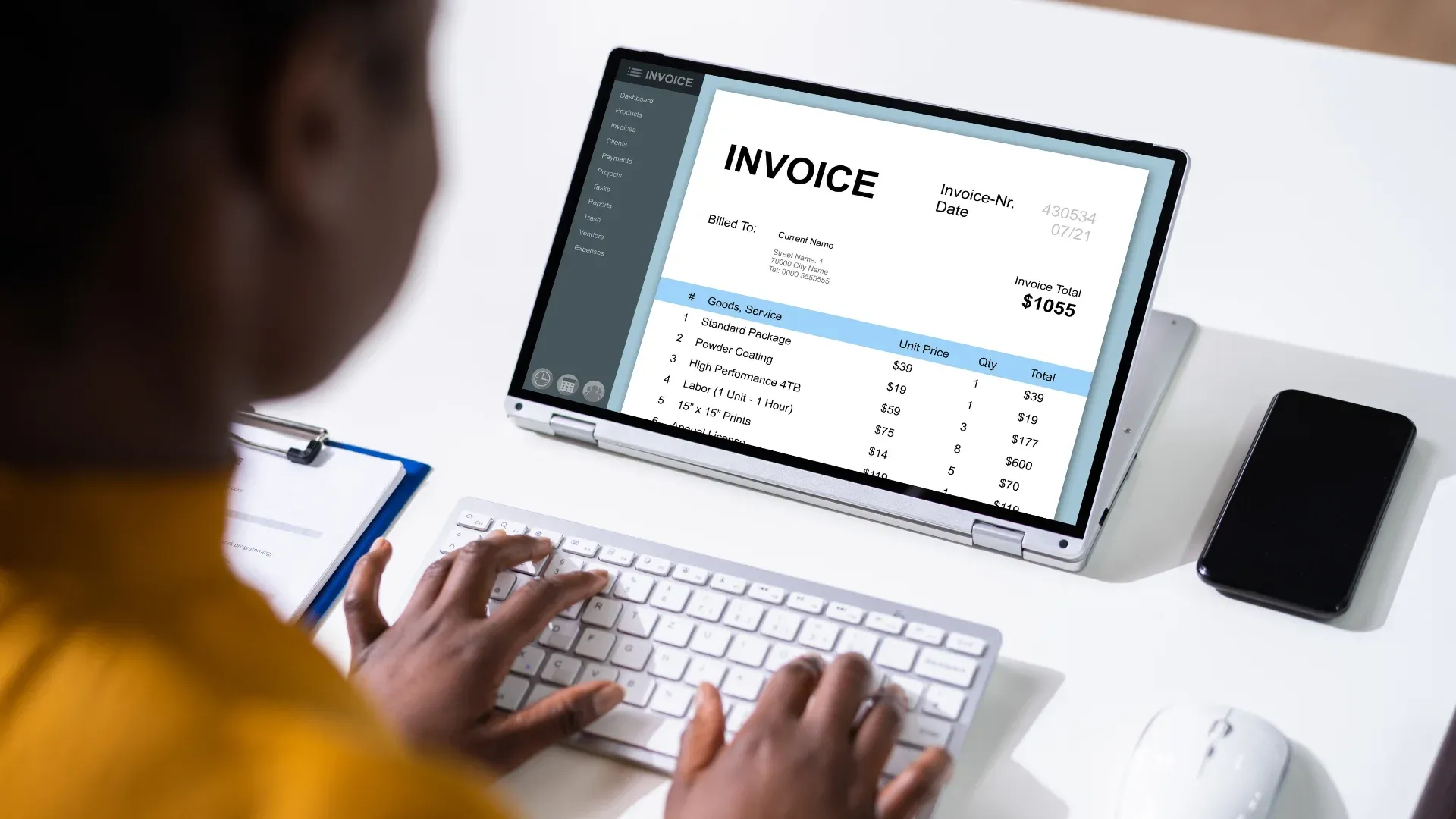
It is 23:10 on the last working day of the month. Marta runs accounts receivable for a building supplies distributor in Wrocław, and she still has 140 invoices to send. Invoice FV/2026/10/0417, for PLN 49,200 worth of insulation panels, sits on her screen. She clicks submit in the Ministry of Finance's web application for KSeF. The page spins. Then it throws an error.
Now she has a question nobody on her team can answer with confidence. Did that invoice go through? If she clicks again, will the customer receive two invoices for PLN 49,200? If she waits until morning, does the invoice still count as issued today? And what happens to the other 139?
Versions of this scene have played out across Poland more than once in 2026. The interesting part is what actually broke. In the disruptions the Ministry flagged this year, the trouble sat in the Taxpayer Application, the free web portal people use to log in and type or upload invoices by hand. The Ministry's notices did not describe a failure of the national e-invoicing system itself. Companies that send invoices straight from their own accounting systems kept working through those windows. Companies that relied on the portal sat and waited.
That gap is what this post is about. A well-built e-invoicing workflow should never leave a finance team guessing at midnight. It needs a queue that holds every invoice safely, retries that cannot create duplicates, and a status that anyone in finance can read at a glance.
What Actually Went Wrong, and What Did Not
Poland's National e-Invoice System, known as KSeF, became mandatory in February 2026 for the largest taxpayers and in April for most other businesses. The bulk of invoices between Polish businesses now has to pass through it. When KSeF accepts an invoice, it stamps it with a unique KSeF number. That number is the moment of truth. For a Polish VAT-registered buyer, the invoice generally counts as received on the date KSeF assigns it.
Businesses reach KSeF in two ways. Some type or upload invoices through the Taxpayer Application, the web portal the Ministry provides for free. Others connect their accounting or ERP systems directly to KSeF, so invoices flow out automatically without anybody opening a browser.
Think of it like a post office. The Taxpayer Application is the front counter, where you hand over one letter at a time in person. The direct connection is the loading dock, where trucks drop off sorted mail in bulk. Behind both sits the sorting facility, which is KSeF itself.
During 2026, the Ministry published a series of technical notices about disruptions and maintenance, and they named the Taxpayer Application specifically. One notice, covering the night of 4 to 5 February, said plainly that the issue concerned the application itself and not the National e-Invoice System. A planned break on the night of 13 to 14 February also targeted the production version of the application, and software vendors reported that invoicing through their direct connections carried on as normal. A maintenance window on the night of 24 to 25 April followed the same pattern.
So the accurate version of the story is narrow. The front counter had problems for a few hours at a time. The sorting facility kept running. Anyone using the loading dock barely noticed.
That distinction matters for two reasons. It matters for accuracy, because saying "KSeF went down" misstates what the Ministry reported. And it matters for planning, because the answer to a front counter problem is to stop depending on the front counter for anything important.
Why a Portal Hiccup Becomes a Finance Problem
An error message on a web page sounds minor. For a finance team at month end, it turns into four separate problems at once.
The first is uncertainty. When a submission fails halfway, nobody knows whether KSeF received the invoice. The screen says error, but the invoice might still have landed. Marta has no easy way to check without logging back in to the same application that just failed her.
The second is duplication. The natural reaction to an error is to try again. If the first attempt actually succeeded, the second one creates a duplicate invoice in the national system, complete with its own KSeF number. Cleaning that up means issuing a correcting invoice, explaining the mess to the customer and fixing the ledger. One nervous click can cost an hour of somebody's time, and a confused customer on top of it.
The third is delay. Invoices sitting in someone's drafts do not exist as far as the buyer is concerned. The buyer's accounts payable team cannot see them in KSeF, so the payment clock does not start. A distributor with 140 unsent invoices worth a combined PLN 2.1 million has just pushed its cash collection back by as long as the backlog takes to clear.
The fourth is the paper trail. Polish rules allow invoices to be issued in special offline modes when KSeF cannot be reached, but each mode comes with its own deadline for sending the invoice in afterwards and its own requirements for the copy shared with the buyer. A team working from sticky notes and spreadsheets will struggle to prove which invoices were issued when, under which mode, and whether each one reached KSeF on time.
None of these problems come from KSeF being unreliable. They come from a workflow that treats submission as a single click instead of a process with a memory.
Three Rules for Invoices That Never Get Lost
A dependable e-invoicing workflow follows three rules. Each one answers a question Marta could not answer at 23:10.
Queued submissions answer "where is my invoice right now?" Every approved invoice goes into a durable queue before anything is sent anywhere. The queue becomes the single source of truth. It survives restarts, outages, closed browser tabs and the end of somebody's shift.
Safe retries answer "can I try again?" The system resends only after confirming that KSeF did not already accept the invoice. Each invoice carries a fingerprint that stays the same on every attempt, so a retry can never turn into a second invoice.
Clear status answers "what do I do now?" Every invoice shows one plain-language label that tells finance whether it is waiting, accepted, rejected or issued offline, and what deadline applies.
Here is how a single invoice moves through a workflow built on those three rules.

Queued Submissions: The Outbox That Does Not Forget
Picture the outbox in your email. You write a message on a train with no signal, press send, and it waits. When the connection comes back, it leaves on its own. You never retype it.
A submission queue works the same way, with stricter rules because the stakes are much higher than a delayed email.
Follow invoice FV/2026/10/0417 through a queued workflow. At 23:08, Marta approves it. Before the invoice goes anywhere, the system checks it against the FA(3) structure that KSeF requires. It confirms that the buyer's tax number is present and correctly formatted, that the net amount of PLN 40,000.00 plus 23 percent VAT of PLN 9,200.00 adds up to the gross total of PLN 49,200.00, and that every required field is filled in. The invoice passes. It enters the queue with a timestamp and an issue date of 31 October.
Here is the part that trips people up. The issue date on an invoice does not change because the invoice waits in a queue. Polish rules treat the date written in the invoice's issue date field as the issue date, and sending the invoice to KSeF later does not rewrite it. What the delay does change is when the buyer is treated as having received the invoice, because that follows the KSeF number. A good queue keeps both dates visible side by side, so nobody in finance confuses one with the other.
At 23:09 the queue tries to send. If the company is connected directly to KSeF, the invoice goes out by the loading dock, and whatever is happening at the Taxpayer Application never touches it. KSeF returns a KSeF number within moments. Done.
If the connection fails for any reason, whether it is a network blip, a timeout or a planned maintenance window, the invoice does not vanish and nobody has to remember it. It stays in the queue marked as waiting. The other 139 invoices line up behind it in the order they were approved.
A well-designed queue has four properties worth insisting on. It stores the invoice exactly as approved, so the version sent the next morning is identical to the version Marta signed off. It lives outside anyone's laptop or browser, so closing a tab or losing Wi-Fi loses nothing. It keeps order, so a correcting invoice never reaches KSeF before the original invoice it corrects. And it watches the clock, tracking how long each invoice has been waiting and raising a flag well before any legal deadline comes close.
That last property deserves a closer look, because the deadline depends entirely on why the invoice is waiting.
The Rule Book for Offline Invoicing
Polish law accepts that systems sometimes fail. It sets out special modes that let a business issue invoices when it cannot reach KSeF and then send them in afterwards. The Ministry summarises them in an official table, and in plain terms they work like this.
Offline24 mode is the everyday fallback. It covers problems on the taxpayer's own side, like a dead internet connection or broken software, and a business can also simply choose to use it. No announcement from the Ministry is needed. The invoice must reach KSeF by the end of the next business day after its issue date.
The unavailability mode applies when the Ministry announces that KSeF itself will not be available, for example during scheduled maintenance of the system. Invoices issued during that window must be sent by the next business day after the unavailability ends.
The emergency mode applies when the Ministry announces a failure through its Public Information Bulletin and through the software used to connect to KSeF. Here the business gets seven business days after the failure ends to send its invoices.
The total failure mode covers a truly extraordinary situation, announced through mass media because a normal bulletin notice is not possible. Invoices issued in that period can be produced outside the system entirely and do not have to be sent to KSeF later.
There is one more detail that catches teams out. When a business gives a buyer an invoice that has not yet reached KSeF, the visual copy needs two QR codes, one marked OFFLINE and one marked CERTYFIKAT, and the second code requires a KSeF certificate. Once the invoice receives its KSeF number, the copy carries a single QR code tied to that number instead.
Now apply this to what happened in 2026. When only the Taxpayer Application struggles, KSeF itself is still available. A company sending invoices through a direct connection carries on as normal, and none of the special modes come into play at all. A company that depends on the portal is left with two choices. It can wait, or it can issue under offline24 and take on the job of tracking next-business-day deadlines and generating two QR codes for every invoice issued that way.
A good queue does that bookkeeping for you. It records which mode each invoice was issued under, works out the deadline, produces the right QR codes for the buyer's copy and escalates anything that is getting close to its cutoff. Nobody has to keep a spreadsheet of offline invoices, because the queue already is one.
Safe Retries: Trying Again Without Paying Twice
Everyone has pressed a lift button five times. It does no harm. The lift still comes once.
Paying a bill is different. Press "pay" twice on a banking app and, if both go through, you have paid twice. Invoices behave like the bill, not the lift. Every accepted submission creates a real document in the national system with its own KSeF number.
So the question behind any retry is simple. Did the first attempt already land?
When a submission fails, the cause usually falls into one of three buckets, and each one needs a different response.
Sometimes KSeF never received the invoice. The connection dropped before the invoice left, or the service could not be reached. Resending is safe and correct.
Sometimes KSeF received and accepted the invoice, but its reply never made it back. This is the dangerous case. The invoice exists in KSeF with a KSeF number while the sender's screen shows an error. A blind resend creates a duplicate.
Sometimes KSeF received the invoice and rejected it because of what was in it. Maybe the buyer's tax number is missing a digit, or a required field is empty. Resending the same invoice will fail the same way every single time. This one needs a person to fix it.
A safe retry process handles all three without anybody having to work out which bucket they are in.
When an invoice enters the queue, it gets a fingerprint built from details that never change, such as the seller, the invoice number and the content of the invoice. That fingerprint travels with every attempt. Before any resend, the system asks KSeF whether an invoice with that fingerprint has already arrived. If KSeF already holds it, the system records the KSeF number and stops. No resend happens, and nobody has to guess.
If KSeF has no record of the invoice, the system resends it, but not instantly and not forever. It waits a short time, then a longer one, then longer again. Spacing attempts out gives a struggling service room to recover instead of hammering it at the worst possible moment. It is the same instinct that makes you wait a minute before redialling a busy phone line, rather than calling back every second.
If KSeF rejects the invoice because of its content, the system stops retrying straight away. It moves the invoice to a "needs correction" status, shows the reason in plain words and sends it to the person who can fix it.
Go back to invoice 0417. Suppose the first attempt at 23:09 timed out. At 23:11, the system checks with KSeF using the invoice's fingerprint and finds that KSeF did accept it at 23:09 and assigned a KSeF number. The system records the number, marks the invoice accepted and moves on to the next one in line. Marta never sees the error. The customer receives exactly one invoice for PLN 49,200.
Clear Status: A Language Finance Already Speaks
Technical systems love their own vocabulary. Error codes, session states, response messages. None of that helps a financial controller who needs to know at nine in the morning whether last night's invoices reached their customers.
A good status model uses a handful of plain labels, and each label answers two questions. What is happening to this invoice? And does anyone need to do anything about it?
Six labels cover every real situation.
Ready means the invoice passed its checks and has been approved, but has not been sent yet. Nobody needs to act.
Waiting to send means the invoice is in the queue because KSeF or the connection could not be reached. The system keeps trying on its own. Finance only needs to act if the wait starts to approach a deadline, and the system will say so.
Awaiting confirmation means the invoice went out and the system is confirming the result with KSeF. This usually lasts a few seconds.
Accepted means KSeF assigned a KSeF number, shown right next to the status along with the date and time. The buyer can now see the invoice. Nothing else to do.
Needs correction means KSeF rejected the invoice because of its content. The reason appears in plain words, such as "buyer tax number is missing a digit," and the invoice is assigned to a named person.
Issued offline means the invoice went to the buyer under one of the offline modes, with the required QR codes on the copy. The status shows which mode applied and the exact date by which the invoice must reach KSeF.
No codes, no jargon. The accounts receivable clerk and the CFO read each label the same way.

Clear status also has to work for a whole batch, not just one invoice. When Marta logs in the morning after a disruption, she should not have to scroll through 140 rows. She should see a one-line summary, something like "138 accepted, 1 waiting to send, 1 needs correction," and click straight through to the two invoices that need attention. The collections team can see which customers now have their invoices in KSeF and can start chasing payment. The controller can confirm that nothing slipped past an offline deadline.
That one summary turns a stressful night into a five-minute task over morning coffee.
Most conversations about KSeF focus on the last step, the moment an invoice leaves for the national system. In practice, the trouble often starts much earlier.
Invoices rarely begin life as clean structured files. They start as sales orders in an ERP, delivery notes scanned at a warehouse, prices agreed in an email thread, or a contract PDF that sets out payment terms. Somebody has to turn all of that into an invoice that matches the FA(3) structure exactly. Every gap or mismatch along the way becomes a rejection later, and rejections pile up fastest on exactly the days when finance has the least time to deal with them.
This is where Artificio's AI agents do their work. Instead of relying on rigid templates or traditional OCR, the agents read the source documents, pull out the details an invoice needs, such as buyer tax numbers, line items, quantities, prices and VAT rates, and check them against each other before an invoice is ever built. If the delivery note says 120 panels and the sales order says 125, the agent flags it before anything goes to KSeF, not after KSeF sends it back.
Clean invoices are the best protection against a pile of retries. An invoice that is right the first time never lands in "needs correction," never ties up a person at month end and never pushes back a customer's payment.
The same thinking works in the other direction too. KSeF is also where suppliers' invoices now arrive. Agents can pull those incoming invoices, match them to purchase orders and goods received notes, and send exceptions to the right approver. When a supplier issues an invoice offline during a disruption and sends it to KSeF a day later, the matching picks it up as soon as it appears, and nobody has to chase it.
Put together, the full workflow reads like a short story. Documents come in from wherever they live. Agents extract and check the data. Approved invoices enter a durable queue. The queue sends them through a direct connection, retries safely and records every KSeF number. Finance sees six plain statuses and a daily summary. When the Taxpayer Application has a bad night, nobody on the team even needs to know about it.
Questions to Ask Before the Next Disruption
Whether you build this yourself or buy it, a few questions will tell you quickly whether your setup can ride out a portal problem without losing a single invoice.
- Do we send invoices through a direct connection, or does anyone still depend on the Taxpayer Application for routine volume?
- If a submission fails halfway, where does the invoice go, and can anyone see it there without logging into KSeF?
- Before the system retries, does it check whether KSeF already accepted the invoice?
- Can the system tell the difference between "KSeF could not be reached" and "KSeF rejected this invoice," and does it handle each one differently?
- Does every invoice show its issue date and the date of its KSeF number separately?
- For invoices issued offline, does the system record the mode, work out the deadline and produce both QR codes automatically?
- Can the finance lead see a one-line summary of the last 24 hours without opening a single invoice?
If the honest answer to any of these is "we would have to check" or "someone keeps a spreadsheet," that is the place to start.
Build for the Night the Portal Struggles
The disruptions announced in 2026 were short. The notices covered windows of roughly two hours, late at night, and several were announced in advance. That will not always be the case, and nobody should plan around the hope that the next one will arrive at a convenient time.
The lesson from this year is not that KSeF is fragile. The national system kept accepting invoices while its web portal had a few rough nights. The real lesson is about dependence. Finance teams that rely on a single front counter feel every one of its bad nights. Teams with a proper loading dock, a queue with a memory, retries that check before they resend, and statuses anyone can read carry on as if nothing happened.
Marta's 140 invoices should go out on the last night of the month whether the Taxpayer Application is having a good evening or a bad one. With the right workflow, they do. Every one of them, exactly once, with a KSeF number to prove it.
Sources: Ministry of Finance technical notices on the KSeF information portal, the Ministry's table of structured invoice issuing modes, and reporting by inFakt, inFakt, Podatki.biz and Fakturownia.