The invoice looked perfect. Vendor matched, three line items matched their purchase order, tax code populated, header total correct to the cent. The extraction engine had done its job in under four seconds. Then the posting call came back with message M8 534, and the whole batch stopped.
Anyone who has built an integration that writes supplier invoices into SAP knows this moment. Reading data out of SAP is a solved problem. Writing a financially relevant document into SAP is a different discipline entirely, because you are not just moving data. You are creating an accounting document, a material document adjustment, an open item on a vendor account, and a tax entry, all inside a system that will happily reject the whole thing over a single decimal place in a quantity field.
This guide covers the two paths a developer actually has for posting supplier invoices into SAP. The first is BAPI_INCOMINGINVOICE_CREATE, the classic RFC-enabled function module that has been posting logistics invoices since R/3. The second is the Supplier Invoice OData service, the modern REST-shaped option that ships with S/4HANA. Both work. They fail in different ways, and knowing which failure belongs to which layer is most of the job.
Why Posting Is Harder Than Extracting
Document extraction gets the attention. Optical character recognition, layout models, line item detection, header field confidence scores. That work is visible and demonstrable. A prospect can watch a PDF turn into structured JSON and immediately understand the value.
Posting is invisible until it breaks. The extracted JSON has to become a MIRO-equivalent transaction, which means it has to satisfy every configuration decision made in that SAP system over the last fifteen years. Tolerance keys. Tax jurisdiction determination. GR-based invoice verification flags on the purchase order line. Company code specific document types. Payment terms that come from the vendor master unless the purchasing document overrides them. Automatic account determination through OBYC.
None of that lives in the invoice PDF. All of it decides whether your post succeeds.
The practical consequence is that an invoice automation project spends maybe twenty percent of its engineering effort on extraction and eighty percent on the posting layer, error handling, and reconciliation. Teams that budget the reverse discover this around week six.
The Two Interfaces, Honestly Compared
BAPI_INCOMINGINVOICE_CREATE is a synchronous RFC function module in the MM-IV component. You call it with header structure, item table, account assignment table, tax table, and a few control parameters. It returns a document number and fiscal year, or a return table full of messages. It does not commit on its own. You have to call BAPI_TRANSACTION_COMMIT afterward, and that separation is a feature rather than an annoyance.
The Supplier Invoice OData service, exposed as API_SUPPLIER_INVOICE_PROCESS_SRV in S/4HANA, wraps similar logic behind a REST interface with JSON payloads, a deep insert for line items, CSRF token handling, and standard HTTP status codes. It handles the commit as part of the request.
The honest comparison is not modern versus legacy. Both remain supported. The real differences show up in five places.
Connectivity comes first. The BAPI requires an RFC connection, which means SAP Java Connector, .NET Connector, node-rfc, or the SAP Cloud Connector if you are calling from outside the corporate network. That is a binary dependency, a network path through port 33xx, and usually a conversation with the Basis team. The OData service needs HTTPS and a service user, which any language can do with a standard HTTP client.
Payload shape comes second. The BAPI wants flat internal tables with SAP field names like INVOICE_IND, GROSS_AMOUNT, and PO_UNIT. The OData service wants nested JSON with camel case names like SupplierInvoiceItemPurchaseOrder and SupplierInvoiceWhldgTax. The OData naming is more readable. The BAPI naming maps directly to what you see in SE11 and in error messages, which matters more than readability when you are debugging at 2 AM.
Error detail comes third, and here the BAPI wins clearly. The RETURN table gives you message type, message ID, message number, and the parameter and row that triggered it. You get the exact line item index that failed. OData error responses in S/4HANA have improved, but nested detail messages are less consistently populated, and mapping an error back to a specific line item takes more work.
Batch behavior comes fourth. The BAPI plus explicit commit pattern lets you validate an entire batch, decide what to do, then commit or roll back deliberately. OData batch requests exist through the batch endpoint with changesets, and they work, but the control is coarser.
Simulation comes fifth. BAPI_INCOMINGINVOICE_PARK and the test run behavior available through careful use of the BAPI let you dry run a posting without creating a document. This is the single most useful capability in the entire integration, and I will come back to it.
Building the BAPI Call Correctly
The BAPI takes several parameters. In practice you populate four of them and ignore the rest until a specific requirement forces your hand.
HEADERDATA carries the invoice level fields. INVOICE_IND set to X means this is an invoice rather than a credit memo. DOC_TYPE is usually RE for a standard logistics invoice. DOC_DATE is the date printed on the supplier document, and PSTNG_DATE is the date you want the accounting entry to hit, which are frequently different and which auditors care about. REF_DOC_NO holds the supplier invoice number, and this field deserves special attention because it drives duplicate checking. GROSS_AMOUNT is the total including tax. CURRENCY must match what the purchase order expects unless you are deliberately posting in a different currency and have the exchange rate fields populated. COMP_CODE identifies the company code, and if you get this wrong nothing else matters.
ITEMDATA carries the line items. Each row needs INVOICE_DOC_ITEM as a sequential number, PO_NUMBER and PO_ITEM to point at the purchase order line, TAX_CODE, ITEM_AMOUNT for the net value, and QUANTITY with PO_UNIT. The critical detail here is that the amounts and quantities must reconcile against what SAP already knows. If the purchase order line has a goods receipt of 100 units at 4.50 and your invoice line says 100 units at 4.55, you are relying on tolerance configuration to let that through.
The second critical detail is REF_DOC and REF_DOC_YEAR at the item level. If the purchase order line has GR-based invoice verification switched on, SAP does not accept a plain purchase order reference. It expects the material document number and year of the specific goods receipt you are invoicing against. Skipping this produces error M8 comparisons that read as though the quantity is wrong when the actual problem is that you never told SAP which receipt to match.
TAXDATA carries tax line detail when you need to state tax explicitly rather than let SAP calculate it. Populate TAX_CODE, TAX_AMOUNT, and TAX_BASE_AMOUNT. Whether you send this depends on whether CALC_TAX_IND is set in the header. Sending both a calculate flag and explicit tax rows is a common source of confusing rejections.
ACCOUNTINGDATA is only needed for invoices without a purchase order reference, where you are posting directly to a cost center, internal order, or WBS element. Most supplier invoice automation is purchase order based, so this table stays empty more often than not.
The call sequence matters as much as the payload. Call the BAPI. Read the RETURN table. Look for any row where TYPE is E or A. If any exist, call BAPI_TRANSACTION_ROLLBACK and report the failure. If none exist and INVOICEDOCNUMBER came back populated, call BAPI_TRANSACTION_COMMIT with WAIT set to X. The WAIT flag makes the commit synchronous, which means the document is genuinely readable when the call returns rather than eventually.
Forgetting the commit produces the strangest bug in this whole space. The BAPI returns a document number, your logs show success, and the document does not exist in SAP. The number was reserved and then discarded when the session ended.
Building the OData Call Correctly
The OData path starts with authentication and a CSRF token. Send a GET or HEAD request to the service root with the header X-CSRF-Token set to Fetch. SAP returns a token value and a set of cookies. Every subsequent POST must carry both that token and those cookies. Losing the cookie jar between the token fetch and the post produces a 403 that looks like an authorization problem and is not.
The post itself goes to the A_SupplierInvoice entity set as a deep insert. The JSON body carries header fields at the top level and nests the line items inside a to_SupplierInvoiceItemPurOrdRef collection. Tax rows nest inside to_SupplierInvoiceTax when you need them.
Header fields follow readable names. CompanyCode, DocumentDate, PostingDate, SupplierInvoiceIDByInvcgParty for the supplier invoice number, InvoiceGrossAmount, DocumentCurrency, and InvoicingParty for the vendor number. Amount fields go across the wire as strings, not numbers, and they must respect the currency decimal places. Sending 1250 when you mean 1250.00 is usually fine, but sending a float that serializes as 1250.0000000001 is not.
Line items use SupplierInvoiceItem as the sequence number, PurchaseOrder and PurchaseOrderItem for the reference, DocumentCurrency, SupplierInvoiceItemAmount, QuantityInPurchaseOrderUnit, PurchaseOrderQuantityUnit, and TaxCode. For goods receipt based verification, ReferenceDocument and ReferenceDocumentFiscalYear play the same role that REF_DOC and REF_DOC_YEAR play in the BAPI.
A successful post returns 201 with the created entity, including SupplierInvoice and FiscalYear. A failure returns 400 with an error object containing a message and, when you are lucky, a details array with individual messages.
The practical gap between the two paths appears right here. When a BAPI post fails on line item three, the RETURN table tells you row three. When an OData post fails on line item three, you often get a single message describing the condition without a reliable pointer to which item caused it. Teams solve this by validating line items individually before the batch post, which adds round trips but saves hours of support time.
The Error Messages You Will Actually Meet
Five errors account for most posting failures in production. Learning them is faster than learning the full message catalog.
M8 534 says the balance is not zero. The gross amount in the header does not equal the sum of item amounts plus tax. This is almost always a rounding problem in the extraction layer or a tax amount that was calculated rather than read from the document. Fix it by treating the header gross amount as authoritative and reconciling items against it before posting rather than after.
M8 147 says the invoice quantity is greater than the goods receipt quantity. Either the goods receipt has not been posted yet, or you are invoicing against the wrong receipt, or the supplier has shipped less than they billed. This one is a business exception rather than a technical one, and the correct response is usually to park the document rather than reject it.
M8 083 relates to tax code and jurisdiction mismatches. The tax code you sent is not valid for the combination of company code, country, and jurisdiction on the purchase order. Tax code derivation should come from the purchase order line rather than from the invoice document whenever possible, because the purchase order already passed validation.
F5 702 and its relatives cover account determination failures, which mean an entry is missing in OBYC or the material has no valuation class. This is a configuration problem, not an integration problem, and it needs a functional consultant rather than a code change.
M8 174 and duplicate invoice warnings fire when REF_DOC_NO matches an existing document for the same vendor. Duplicate checking is configured per company code and can consider reference number, date, and amount in various combinations. Treat the duplicate check as a feature and surface it to the AP team rather than suppressing it, because suppressing it is how organizations pay the same invoice twice.
Simulate Before You Post
The single highest leverage design decision in a supplier invoice integration is to never post blind.
BAPI_INCOMINGINVOICE_PARK creates a parked document rather than a posted one. A parked invoice sits in SAP with a document number, visible in MIR4, editable by an AP clerk, and completely without accounting impact until someone posts it. Everything about the document has been validated against the purchase order, the vendor master, and the tax configuration. Nothing has hit the general ledger.
This gives you a validation oracle that no amount of custom code can match, because it is the actual SAP logic rather than your approximation of it. Park the document. Read the messages. If the messages are clean, post it. If they are not, you have a fully formed exception with an SAP document number that an AP clerk can open and fix in a familiar transaction.
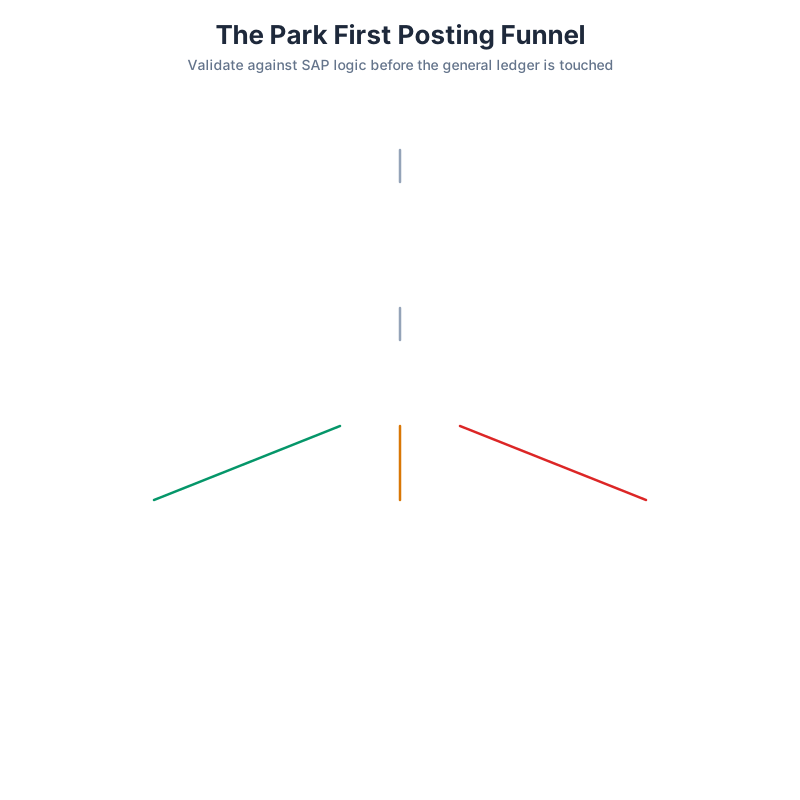
The pattern that works in production looks like a funnel. Invoices with high extraction confidence, a clean purchase order match, a posted goods receipt, and amounts inside tolerance go straight through to a post. Invoices that fail any single check get parked with the exception attached. Invoices that fail structural checks, like a purchase order that does not exist or a vendor that is blocked, never reach SAP at all and go back to the supplier with a specific reason.
Straight through rates in the seventy to eighty-five percent range are realistic for organizations with disciplined purchase order processes. Chasing a hundred percent is a mistake, because the last fifteen percent are genuine business exceptions that should have a human decision attached.
Idempotency, Retries, and the Duplicate Payment Problem
Network calls fail. A posting call that times out after SAP has already committed the document is the worst failure mode in this domain, because a naive retry creates a second accounting document and a second open item on the vendor account. Two payments, one invoice.
The defense has three layers.
Generate a stable external key for every invoice before you attempt any posting. Supplier number plus supplier invoice number plus invoice date plus gross amount works well. Store it with the posting attempt and its status.
Before any retry, query SAP rather than assuming. Read the supplier invoice list filtered on the invoicing party and the supplier invoice identifier. If a document already exists with that reference, the original call succeeded and the timeout was in the response path. Record the document number and stop.
Use the SAP duplicate invoice check as a backstop rather than as your primary control. Configure it in the company code settings and let it fire. A duplicate warning from SAP is far better than a duplicate payment discovered during a bank reconciliation three weeks later.
Storing the SAP document number and fiscal year against your own record is not optional bookkeeping. It is the anchor for every downstream question about payment status, clearing, and audit.
Choosing a Path for Your Landscape
For ECC systems, the BAPI is the answer. The OData supplier invoice service is an S/4HANA capability, and while there are ways to expose custom OData wrappers on ECC through NetWeaver Gateway, building a wrapper around the BAPI just to speak REST adds a layer that has to be maintained during every upgrade.
For S/4HANA on premise, either works. Teams with existing RFC infrastructure and a Basis group comfortable with it should keep using the BAPI, particularly for high volume batch posting where the granular error handling pays for itself. Teams building new integrations from cloud platforms should prefer OData for the simpler connectivity story.
For S/4HANA Cloud, the OData service is the only real option, because RFC access is not available in the public cloud edition. This is the clearest decision in the whole comparison.
For hybrid landscapes running both ECC and S/4HANA during a migration, build the integration with a posting adapter interface and two implementations behind it. The extraction, validation, and exception handling layers stay identical. Only the posting adapter changes. Organizations that skip this abstraction end up rewriting their invoice automation during the S/4HANA migration, which is exactly the wrong time to be rewriting anything.
Artificio handles the layer above the posting call. Documents arrive by email, upload, or supplier portal, and the platform classifies them, extracts header and line item data, and validates that data against the purchase order and goods receipt before any posting attempt happens. Confidence scores drive routing, so invoices that match cleanly move straight through while ambiguous ones land in a review queue with the extracted values sitting next to the source document image.
The posting layer supports both interfaces. RFC-based posting through BAPI_INCOMINGINVOICE for ECC and on premise S/4HANA landscapes, and OData posting for S/4HANA Cloud. The park-first pattern is available as a configuration option, so teams can run in park mode during rollout, watch what SAP says about their document quality, and switch to direct posting once the exception rate settles.
What that changes for a developer is scope. You stop building tolerance comparison logic, duplicate detection, retry state machines, and exception queues, and you spend your time on the parts that are specific to your organization, which is usually the approval routing and the integration with whatever the AP team already uses.
Getting the First Post Working
Start in a sandbox with one purchase order you created yourself, one goods receipt you posted yourself, and one hand-built payload. Do not start with real supplier documents, because you will not know whether a failure came from your extraction or your posting.
Make the park call work before the post call. Read every message in the return, including the informational ones, because they explain what SAP inferred that you did not send.
Add real documents second, and expect the failure modes to shift from technical to data quality. Purchase order numbers that suppliers typed wrong. Line items that do not exist on the order. Freight charges that need an unplanned delivery cost field rather than a line item.
Add volume third, and expect the failure modes to shift again, this time toward locking, sequencing, and the question of what happens when two invoices reference the same goods receipt in the same second.
The teams that get this right treat posting as a first class engineering problem with its own error taxonomy, its own monitoring, and its own runbook. The document number that comes back from a clean post is the end of a long chain of validation, and every link in that chain deserves to be deliberate.