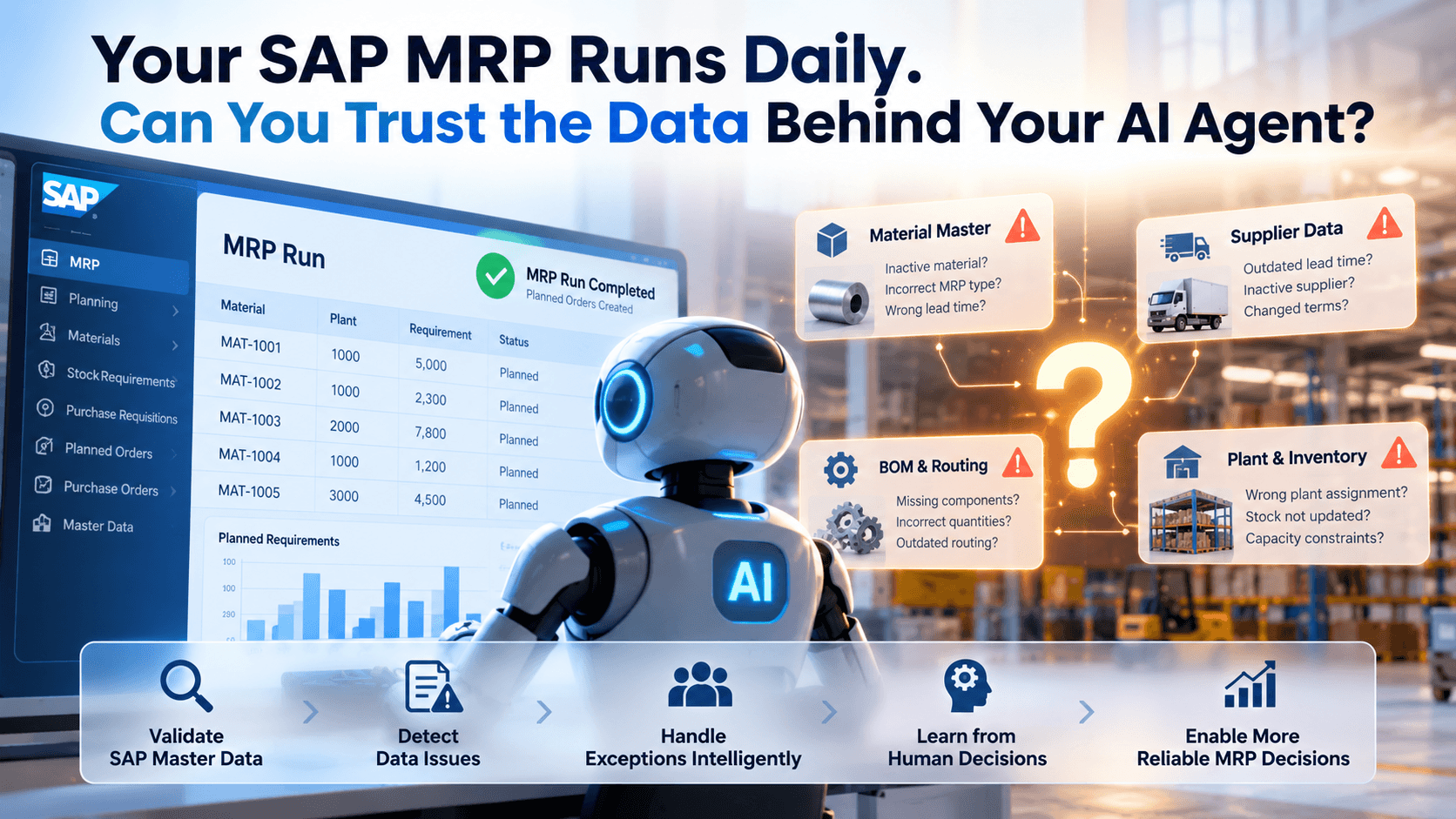
Your SAP MRP Runs Daily. Can You Trust the Data Behind Your AI Agent?
Discover how poor SAP master data, outdated supplier information, and inaccurate lead times impact AI-powered MRP automation. Learn how Artificio uses data validation, intelligent exception handling, and human oversight to improve planning decisions.
Why unreliable SAP planning data can turn AI-powered MRP exception management into a costly mistake—and how Artificio combines data readiness, intelligent recommendations, and human-in-the-loop workflows to make automation safer and more effective.
For MRP Planners, Purchasing Managers, Supply Chain Directors, SAP Leaders, and VPs of Operations
——————————————————————————————
The AI Agent Isn't Always the Problem. Sometimes It's the Data.
Imagine walking into your manufacturing plant on Monday morning.
Your production supervisor tells you that a critical component will not arrive in time to support Wednesday's production schedule.
The purchasing team says the supplier has already confirmed delivery.
Your MRP controller opens SAP MD04 and sees several exception messages. Some recommend rescheduling receipts. Others suggest canceling procurement proposals. Still others indicate that supply is arriving too late.
Meanwhile, your inventory report shows that the company is carrying millions of dollars in raw materials.
You have inventory.
You have purchase orders.
You have an ERP system.
You have planners running MRP every day.
Yet production is still at risk.
Now imagine introducing an AI agent to resolve those MRP exceptions automatically.
The agent connects to SAP, reads the planning results, analyzes the exception messages, and recommends corrective actions.
Everything looks impressive during the demonstration.
But there is one question nobody asked:
Can the AI agent trust the data that SAP is providing?
What if the planned delivery time in the material master is incorrect?
What if the supplier's latest confirmation was never synchronized from the procurement system?
What if the goods receipt processing time does not reflect the actual inspection process?
What if a material has the wrong lot-sizing procedure?
What if the MRP exception was generated yesterday, but the supply situation has already changed?
The AI agent may process the information correctly.
Its reasoning may even be logical.
But its recommendation can still be wrong because the underlying business information is incomplete, outdated, or inconsistent.
This is one of the most overlooked risks in enterprise AI automation.
AI can accelerate decision-making. But when the underlying data is unreliable, it can also accelerate the consequences of incorrect decisions.
At Artificio, we believe successful SAP AI automation should begin with a different question.
Not:
"Which AI agent should we deploy?"
But:
"What information must be reliable for this agent to make a safe business decision?"
That question changes the entire approach to AI-powered MRP exception management.
——————————————————————————————
1. Why Running MRP Every Day Doesn't Guarantee Better Planning Decisions
SAP MRP is designed to evaluate demand, available stock, receipts, planning parameters, and procurement requirements.
Depending on the SAP landscape and planning configuration, it can generate procurement proposals and exception messages that help planners identify situations requiring attention.
Organizations may run MRP daily or more frequently.
However, frequent planning runs do not automatically mean the underlying planning information is accurate or current.
Consider a manufacturer with the following operating environment:
Planning activity
Frequency
SAP MRP execution
Daily
Supplier confirmations updated in procurement platform
Weekly
Material master review
Quarterly
Planned delivery time review
As needed
BOM maintenance
Engineering change-driven
Inventory reconciliation
Daily or periodic
Lot-sizing parameter review
Rarely
There is nothing inherently wrong with these different update frequencies.
The problem occurs when an AI agent assumes that every input is current and sufficiently reliable for the action it wants to recommend.
Example: SAP says 10 days. The supplier needs 25.
Consider raw material RM-100245.
Field
SAP value
Actual business situation
Material
RM-100245
RM-100245
Plant
1000
1000
Procurement type
F — External procurement
Correct
Planned delivery time
10 days
Supplier currently needs 25 days
GR processing time
0 days
Receiving and inspection take 3 days
Lot-sizing procedure
EX — Lot-for-lot
Correct
Safety stock
100 units
100 units
Current unrestricted stock
200 units
200 units
Assume there is a requirement for 1,000 units and insufficient receipts to cover it.
SAP plans based on the configured and applicable lead-time information.
If the lead time is understated, the resulting procurement dates may be unrealistic.
An AI agent reading those dates might recommend that purchasing expedite an order or change a delivery date.
But the real problem may be the inaccurate planning parameter.
The agent has not solved the underlying issue.
It has simply reacted to its symptoms.
How Artificio Approaches the Problem
Artificio combines SAP data retrieval, business-rule validation, and human review to evaluate the information behind an MRP recommendation. The exact checks are configured for each customer and use case.
The analysis draws on relevant sources such as:
SAP planned delivery time.
Relevant purchasing information records.
Supplier confirmation dates.
Historical purchase order delivery performance.
Goods receipt processing times.
Current open purchase orders.
Recent supplier communications, where integrated and authorized.
When SAP shows 10 days but recent delivery history consistently indicates 25 days, Artificio identifies the discrepancy for review when those data sources are connected.
Artificio does not treat historical averages alone as authorization to overwrite the planned delivery time.
Historical delivery performance is evidence, not necessarily the correct future planning parameter. Transportation, supplier capacity, contracts, and procurement calendars can change.
For example, Artificio presents a recommendation such as:
"Material RM-100245 has a potential lead-time inconsistency. SAP planned delivery time is 10 days, while recent supplier performance suggests approximately 25 days. Purchasing review is recommended before automated rescheduling."
The purchasing team validates the appropriate value.
After approval, the authorized SAP master-data owner updates the relevant planning data using the customer’s approved SAP process.
After the next MRP run, the agent can reevaluate the revised planning situation.
The objective is not to make the AI agent smarter at interpreting bad data. It is to make the decision process more reliable.
——————————————————————————————
2. The Six Data Problems That Can Undermine SAP MRP AI Agents
Not all data-quality problems are the same.
Artificio distinguishes between missing information, inaccurate values, outdated information, inconsistent sources, incorrect planning configuration, and changing business conditions when configuring process-specific validation.
Problem 1: Missing data
Consider a purchased component where goods receipt processing time is maintained as zero.
This may be correct if the material is immediately available after receipt.
But what if the component requires a three-day quality inspection before production can consume it?
If the planning configuration does not reflect the actual availability process, the planning dates may not align with operational reality.
An AI agent might recommend a delivery date that appears sufficient in SAP but is too late for the plant.
The Artificio approach:
The Data Readiness Engine identifies materials where receiving and inspection processes may require additional time.
It compares the planning parameters with relevant QM and warehouse processes, flags discrepancies, and requests confirmation from the responsible team.
Importantly, Artificio does not treat every blank or zero field as an error. SAP may derive effective planning behavior from other configuration or process settings.
The goal is to validate business meaning, not simply count missing fields.
Problem 2: Inaccurate master data
Imagine a material with a minimum order quantity of 5,000 units.
The actual supplier minimum has changed to 1,000 units, but the purchasing information has not been updated.
The planning process may generate procurement proposals using outdated quantity constraints.
The AI agent might recommend postponing or canceling supply without recognizing that the lot-size parameters are contributing to excess inventory.
The Artificio approach:
Compare purchasing master data, recent purchase orders, supplier agreements, and actual ordering patterns.
When differences appear, generate a master-data review task rather than immediately changing procurement parameters.
Problem 3: Outdated supplier information
Suppose SAP MRP runs every morning, but the connected procurement platform receives updated supplier information only once a week.
On Monday, the AI agent sees an exception indicating a need to reschedule supply.
However, the supplier confirmation was last refreshed several days earlier.
The supplier may already have changed the delivery commitment.
The agent should not treat that old confirmation as a real-time fact.
The Artificio approach:
Track source timestamps, synchronization timestamps, and data freshness policies.
When a recommendation depends on current supplier confirmation, Artificio routes missing or uncertain information to purchasing for validation before the approved workflow proceeds.
A weekly update is not automatically unacceptable. The required freshness depends on the decision, material criticality, and supplier process.
Problem 4: Inconsistent information across systems
A manufacturer may have supplier-related information in SAP, Ivalua, email, and supplier portals.
Consider:
Information source
Delivery date
SAP purchase order
November 10
Procurement platform
November 14
Supplier email
November 18
Last MRP run
November 9
Which date should the AI agent trust?
It cannot simply select the latest date without understanding whether the supplier email is authoritative, whether it refers to the correct PO line, and whether the change has been formally accepted.
The Artificio approach:
Apply customer-defined source-of-truth rules.
For example, the latest authenticated supplier confirmation for the exact PO item may be treated as evidence of the supplier's commitment, while the SAP PO date remains the official transactional date until an authorized update occurs.
When sources conflict, Artificio uses its human-in-the-loop workflow to present the discrepancy and request a buyer decision.
Problem 5: Incorrect planning configuration
SAP MRP behavior depends on configuration and master data such as:
MRP type and MRP group.
Strategy group.
Procurement type.
Lot-sizing procedure.
Safety stock.
Planning time fence.
Scheduling parameters.
Source-of-supply settings.
An incorrect or unintended setting can create recurring planning problems.
For example, a raw material might have strategy group 40 maintained even though the business intends to plan it primarily from dependent requirements.
That does not automatically mean the configuration is wrong.
The actual impact depends on the planning strategy, requirements types, material usage, and other SAP settings.
But it is a condition worth reviewing if planning results do not match business expectations.
The Artificio approach:
Identify unusual configuration patterns and compare them with approved material planning policies.
Flag exceptions for an SAP PP/MM functional review.
Avoid automatically changing planning strategies based only on statistical patterns.
Problem 6: Planning data that changes after the exception was generated
MRP exceptions represent a planning situation at a particular point in time.
Between two MRP runs, the business may receive new purchase order confirmations, production changes, goods receipts, or demand updates.
An AI agent that acts on an old exception without refreshing the relevant context may make an unnecessary or harmful change.
The Artificio approach:
Before execution, retrieve current SAP document status, relevant stock and requirements information, and any required supplier updates.
Then revalidate the proposed action against the latest available planning context.
If the situation has materially changed, invalidate the previous recommendation and generate a new analysis.
——————————————————————————————
3. Why SAP MRP Exception Messages Alone Are Not Enough
MRP exception messages are valuable planning signals.
But they are not complete instructions for an AI agent.
Consider several commonly encountered SAP MRP exception messages.
Exception
Typical meaning
Additional investigation
10
Bring process forward
Can the receipt realistically be expedited?
15
Postpone process
Is the later receipt date commercially and operationally acceptable?
20
Cancel process
Is the receipt genuinely unnecessary, and what commitments exist?
02 / 05
Opening date in the past
Are lead times or scheduling parameters realistic?
03 / 06
Start date in the past
Is the proposed start date feasible?
04 / 07
Finish date in the past
What caused the late planning situation?
69
Recursive BOM components possible
Is there an invalid or unintended BOM relationship?
The exact exception text, applicability, and handling should be verified against the customer's SAP release and configuration.
Example: Exception 10 — Bring process forward
Suppose a raw material is required on November 12.
An open purchase order is scheduled for November 20.
SAP indicates that the receipt should be brought forward.
A basic AI agent might recommend changing the PO delivery date to November 12.
But consider the additional information:
Supplier's confirmed earliest delivery is November 18.
Transportation requires two days.
Receiving and quality inspection require one day.
Another supplier may have available stock.
Production may be able to use an approved alternative component.
Simply changing the SAP purchase order date would not solve the shortage.
It could create a misleading planning picture.
How Artificio Approaches the Exception:
First, validate the current PO status and supplier confirmation.
Second, calculate the operational availability date using relevant transportation, receipt, and inspection assumptions.
Third, identify feasible alternatives, such as expediting, alternate sourcing, approved material substitution, or production rescheduling.
Fourth, present the options with their estimated consequences.
Finally, route the selected action to the appropriate buyer or planner.
The agent's value is in investigating the exception and organizing a decision—not blindly changing a date.
Example: Exception 15 — Postpone process
Suppose a material receipt is planned earlier than needed.
SAP recommends postponement.
The AI agent may identify a potential inventory carrying-cost benefit.
But what if the supplier offers fixed transportation windows?
What if the material has a minimum order quantity or contractual delivery schedule?
What if delaying the receipt increases the risk of a future production shortage?
The Artificio approach evaluates those constraints before presenting a change recommendation.
The buyer receives the possible inventory benefit alongside the risks of postponement.
Example: Exception 20 — Cancel process
This is particularly sensitive.
An exception indicating that a procurement proposal may no longer be required does not mean every associated business commitment can be canceled without consequences.
Consider an open purchase order for 10,000 units.
Demand has decreased, and the planning system identifies excess supply.
The agent might recommend cancellation.
However:
The supplier may already have started production.
Cancellation charges may apply.
The material may be needed for another plant.
Future demand may be expected but not yet reflected in SAP.
The receipt may be linked to a broader contractual commitment.
An autonomous cancellation based only on the exception message would be inappropriate.
The Artificio approach:
Check the document type, status, current requirements, commitments, and permitted business actions.
For low-risk, uncommitted procurement proposals, a narrowly scoped automated action might eventually be appropriate.
For purchase orders involving external commitments, human purchasing approval should generally remain part of the workflow.
——————————————————————————————
4. The Artificio Approach: Assess Data Readiness Before Configuring the Agent
Traditional AI automation projects often begin by connecting the agent to enterprise systems.
The team builds prompts, creates workflows, tests a few scenarios, and demonstrates successful recommendations.
But the real production environment is more complicated.
Artificio takes a different approach.
Start with the business decision, identify the data required to make it reliably, and then configure the agent around those dependencies.
This is Artificio’s process-specific AI Data Readiness approach.
Step 1: Define the business outcome
Before evaluating data, establish what the organization wants to improve.
For MRP exception management, possible outcomes include:
Reduce planner investigation time.
Reduce recurring exceptions.
Improve the timeliness of procurement decisions.
Reduce unnecessary expediting.
Improve visibility into potential shortages.
Reduce avoidable excess inventory.
Improve planning master-data governance.
These goals should have measurable baselines.
For example, if planners currently spend 12 minutes investigating a typical exception, the pilot can measure whether Artificio reduces that time.
Step 2: Identify the required data
Each exception type has different dependencies.
An agent investigating a supplier rescheduling exception may need:
Material and plant.
MRP element type and document number.
Requirement date and quantity.
Receipt date and quantity.
Planned delivery time.
Goods receipt processing time.
Supplier confirmation.
Source-of-supply information.
Current document status.
Relevant planning constraints.
An agent investigating a recursive BOM problem requires an entirely different set of information.
This is why a generic SAP data-quality score is insufficient.
The right question is:
Is the data reliable enough for this specific decision?
Step 3: Validate data before the agent acts
Artificio applies process-specific validation rules covering completeness, consistency, freshness, and business validity. The specific rule set and integrations are established during implementation.
For example:
Validation
Example result
Action
Required material exists
Passed
Continue
Purchase order item exists
Passed
Continue
Supplier confirmation current
Failed
Request refresh
Planned delivery time plausible
Warning
Review
Current SAP document unchanged
Passed
Continue
Action permitted by policy
Pending
Await authorization
The agent can still explain the exception while some data checks are unresolved.
But it should not execute an action that depends on unreliable information.
Step 4: Configure human-in-the-loop workflows
When required information is missing or ambiguous, Artificio routes the issue to the appropriate business owner through its existing human-in-the-loop workflow.
Examples include:
Purchasing for supplier confirmations and procurement conditions.
MRP planners for planning recommendations.
Master-data teams for material parameters.
Engineering for BOM issues.
Quality Management for inspection-related availability.
SAP functional teams for configuration questions.
The review request includes the relevant evidence, the specific discrepancy, and the decision needed.
This gives the business user a focused decision rather than an unstructured investigation.
Step 5: Resume the agent after validation
After the information is reviewed or corrected, the Artificio approach rechecks the relevant SAP context before a consequential action.
The original exception may no longer exist.
The proposed action may need to change.
The agent proceeds with an authorized action only when the required checks confirm that the recommendation remains relevant.
This approach combines automation speed with business accountability.
——————————————————————————————
5. Human-in-the-Loop Is Not a Failure of Automation
Some AI vendors describe human involvement as something that should eventually disappear.
In enterprise supply chain planning, that is often the wrong objective.
Certain decisions require judgment about supplier relationships, production priorities, commercial commitments, and operational risk.
AI can support those decisions without replacing the accountable business owner.
Example: A missing supplier confirmation
Suppose Artificio identifies an MRP rescheduling exception.
The SAP purchase order date is November 15.
The supplier confirmation is missing.
Instead of inventing an expected delivery date, the agent creates a purchasing task.
Example Artificio task:
Material: RM-100245
Plant: 1000
Purchase Order: 4500001234 / Item 00010
Current SAP delivery date: November 15
Required date: November 10
Issue: No current supplier confirmation available.
Recommended next step: Confirm earliest feasible delivery date with the supplier.
The buyer reviews the information and enters the supplier's confirmed date.
The MRP workflow then reevaluates the exception using the updated information and configured validation checks.
If the delivery cannot meet production requirements, the agent can recommend escalation or alternative supply investigation.
This is not manual processing disguised as AI.
It is targeted human intervention, supported by automated investigation and workflow management.
The objective is to minimize unnecessary human effort while preserving control over important business decisions.
——————————————————————————————
6. A Complete Example: The Artificio Approach to a Critical Raw Material Shortage
Consider a manufacturer producing industrial equipment.
A critical raw material is required for production next week.
The SAP planning system identifies a shortage and generates a rescheduling exception.
Initial SAP information
Field
Value
Material
RM-220150
Plant
1000
Required quantity
2,500 units
Required date
November 12
Available unrestricted stock
500 units
Open PO quantity
2,000 units
SAP PO delivery date
November 20
Planned delivery time
10 days
GR processing time
0 days
Exception
10 — Bring process forward
A conventional AI agent might immediately recommend changing the PO date to November 12.
The Artificio approach begins by investigating whether that action is feasible.
Data readiness analysis
The agent retrieves relevant purchasing and historical information.
It identifies three potential issues.
Issue 1: Supplier lead time discrepancy
SAP planned delivery time is 10 days.
Recent completed orders indicate longer actual delivery times.
This requires validation before the agent uses the master-data lead time to assess feasibility.
Issue 2: Goods receipt processing time
SAP shows zero days.
The material may require receiving inspection before production use.
The agent requests confirmation from the appropriate team about the effective availability process.
Issue 3: Supplier confirmation
The latest available supplier confirmation is several days old.
The agent cannot determine whether the supplier can accelerate the shipment.
Human-assisted resolution
Artificio uses its existing human-in-the-loop workflow to create a purchasing review task.
The buyer confirms that the supplier can deliver on November 16.
The Quality Management team confirms that the material normally requires two working days before release for production.
The agent now has a more reliable picture.
The November 16 receipt cannot support the November 12 requirement.
Simply changing the SAP PO delivery date would not solve the problem.
Alternative recommendations
The agent presents potential options for the planner to evaluate, such as:
Option A: Expedite the existing supplier
Request an earlier delivery commitment and evaluate additional freight or expediting cost.
Option B: Check approved alternate suppliers
Identify alternative sources with valid purchasing and material approval conditions.
Option C: Review available stock across plants
Investigate whether a stock transfer is operationally and commercially feasible.
Option D: Escalate production scheduling
Notify the planner that the current supply situation may require a schedule adjustment.
Each option is accompanied by the available supporting evidence, assumptions, and required approvals as configured for the deployment.
Controlled execution
After the buyer or planner selects an approved action, Artificio uses the configured integration and authorization workflow to initiate supported SAP actions.
The solution design records:
Original exception and supporting data.
Data-quality findings.
Human decisions.
Recommended action.
SAP transaction executed.
Execution result.
Subsequent planning outcome.
The next relevant MRP run provides an opportunity to verify whether the shortage condition was resolved.
This is the difference between generating an AI recommendation and supporting a complete planning decision.
——————————————————————————————
7. The Hidden Opportunity: Reduce Recurring MRP Exceptions
Most organizations focus on clearing today's exception list.
But what if the same exception returns tomorrow?
A planner may repeatedly investigate the same material because the underlying master data or process problem has never been corrected.
This creates a hidden productivity cost.
Consider a material that repeatedly generates rescheduling exceptions because its planned delivery time is unrealistic.
The planner reviews the exception.
The buyer contacts the supplier.
A temporary decision is made.
The next MRP run generates another exception.
The cycle repeats.
An intelligent MRP exception management system should recognize this pattern.
How Artificio Helps Identify Recurring Issues
For configured MRP deployments, recurring-exception analysis can use fields such as:
Material and plant.
Supplier.
Exception category.
MRP controller.
Root-cause classification.
Resolution action.
Frequency and recurrence.
Time spent investigating.
Outcome after correction.
When repeated exceptions are captured in the configured monitoring scope, Artificio can surface them for root-cause investigation.
For example:
"Material RM-100245 has generated repeated rescheduling exceptions over the last 30 days. Planned delivery time and supplier performance differ materially. Recommend purchasing and master-data review."
The goal is not just to resolve more exceptions.
It is to reduce the number of avoidable exceptions generated in the first place.
This can create lasting improvements in planning productivity.
——————————————————————————————
8. Why Data Readiness Must Be Continuous
A one-time SAP data health check is useful.
But it is not enough.
Enterprise data changes continuously.
Suppliers change lead times.
Engineering updates BOMs.
Demand forecasts change.
Plants introduce new materials.
Purchasing agreements expire.
Production schedules shift.
An AI agent that was reliable when deployed may become less reliable if its inputs or business rules change.
This is why the Artificio approach combines transaction-time checks with configurable ongoing monitoring.
Before deployment
Evaluate the data required for the selected agent.
Identify critical gaps.
Define validation rules.
Establish business ownership.
During execution
Check data freshness and consistency.
Validate current SAP document status.
Identify missing or conflicting information.
Route exceptions to responsible users.
After execution
Verify the result.
Monitor recurring problems.
Measure recommendation acceptance and error rates.
This creates an ongoing feedback loop between data governance and business automation.
The system becomes more operationally useful because it learns which situations require intervention.
However, any AI-assisted learning should be controlled. Historical user approvals should not automatically become new business rules without validation and authorization.
——————————————————————————————
9. What Should Be Automated and What Should Remain Human-Controlled?
Not every MRP exception requires the same level of control.
A practical model is to classify actions by business risk.
Action
Suggested control
Explain an exception
Automated
Group duplicate or related exceptions
Automated with validation
Identify missing planning data
Automated
Generate a root-cause hypothesis
Automated, evidence-based
Recommend supplier follow-up
Automated
Create a purchasing review task
Automated
Recommend master-data changes
Human review
Change purchase order dates
Authorized approval and SAP validation
Change planning parameters
Master-data owner approval
Cancel externally committed supply
Purchasing approval
Modify critical production schedules
Planning authorization
Execute narrowly scoped, low-risk actions
Policy-controlled automation after testing
The correct control depends on the customer's business processes and risk tolerance.
An action that is low risk for one manufacturer may be highly consequential for another.
Artificio uses configurable workflows and authorization rules so customers define the boundaries for automated and human-approved actions.
——————————————————————————————
10. How to Measure the Business Value of an MRP Exception Agent
The business case should not be based on the number of AI recommendations generated.
It should be based on measurable operational improvements.
At $65 per hour, that represents approximately $34,667 in monthly investigation labor value.
Annualized, the baseline is approximately $416,000.
Now assume a validated pilot demonstrates a 35% reduction in investigation effort.
The potential capacity released would be approximately:
$416,000 × 35% = $145,600 annually.
These are hypothetical figures, not actual Artificio customer results.
And released capacity is not automatically realized cash savings. The organization may redeploy planners to higher-value work rather than reduce staffing costs.
The business case should also consider:
Avoided expediting costs.
Reduced repeat investigations.
Faster shortage identification.
Fewer incorrect procurement changes.
Improved planner productivity.
Inventory exposure.
Production schedule stability.
Shortage reduction and inventory improvements require careful measurement because many factors beyond the agent influence those outcomes.
Recommended KPIs
KPI
Why it matters
Average investigation time
Measures planner productivity
Repeat exception rate
Measures whether root causes are being addressed
Recommendation acceptance rate
Measures practical usefulness
Incorrect recommendation rate
Measures reliability
Human intervention rate
Measures workflow efficiency
Data readiness failure rate
Identifies recurring data problems
Time to resolve critical exceptions
Measures responsiveness
Automated action success rate
Measures execution reliability
Shortage and expedite trends
Measures broader operational impact
These KPIs should be measured before and after deployment using comparable planning conditions.
——————————————————————————————
11. Why a Generic AI Agent Is Not Enough for SAP MRP
Modern AI development tools make it increasingly easy to build agents.
A capable development team can connect an LLM to SAP APIs, retrieve MRP information, create a dashboard, and generate recommendations.
That is valuable.
But it is only the beginning.
A production-grade MRP exception solution needs to understand:
SAP planning structures and document relationships.
Material master and procurement parameters.
Demand and supply dependencies.
Scheduling and availability constraints.
Supplier commitments.
Business-specific approval rules.
Data quality and source reliability.
SAP transaction authorization.
Exception recurrence.
The operational consequences of proposed changes.
This is where Artificio focuses its differentiation.
Not by claiming that its AI model is inherently smarter than other models.
Not by claiming that SAP customers cannot build their own agents.
And not by promising that every exception can be automatically resolved.
The differentiation is the combination of process-specific data validation, SAP planning knowledge, controlled execution, and human decision workflows.
That combination is designed to reduce the effort required to move from an AI demonstration to a dependable business process.
——————————————————————————————
12. Introducing the Artificio Approach to AI-Ready SAP Planning
At Artificio, we believe enterprises should not have to choose between fully manual planning and uncontrolled AI automation.
A more practical approach combines three capabilities.
Capability 1: SAP AI Data Readiness Assessment
Before configuring the agent, evaluate the information required for the selected planning scenarios.
The assessment identifies:
Critical data dependencies.
Missing or inconsistent information.
Outdated supplier and planning data.
Potential master-data and configuration problems.
Cross-system discrepancies.
Human approval requirements.
Automation opportunities and risks.
The deliverable is not merely a data-quality score.
It is an actionable roadmap showing which MRP decisions can be supported reliably and which require remediation or human validation.
The agent investigates selected exception messages and gathers relevant SAP context.
It generates evidence-based recommendations, identifies possible root causes, and highlights operational risks.
Instead of presenting a generic explanation, the system helps planners understand what is happening and what options are available.
Capability 3: Human-Governed Execution and Continuous Monitoring
When the data is reliable and the action is permitted, the workflow can proceed.
When information is missing or inconsistent, Artificio uses its existing review workflow to route a focused task to the appropriate business owner.
When an action could create material supply or financial risk, the system requires the configured approval.
After execution, it verifies results and monitors recurring exceptions.
Artificio already provides SAP integrations, configurable business rules, human-in-the-loop review, and reuse of approved customer-specific matching decisions. MRP-specific analyses, monitoring, and automated SAP actions depend on the integrations and scope agreed for each deployment.
——————————————————————————————
13. You Don't Need Perfect SAP Data to Start Using AI
One common response to data-quality concerns is:
"We need to clean all our SAP data before starting an AI project."
That can turn into a multi-year initiative.
It may involve thousands of materials, multiple plants, complex master-data ownership, and extensive process redesign.
A more practical strategy is to focus on the data that matters for the selected automation.
If the initial goal is to improve raw material MRP exception handling, begin with:
A defined plant or material group.
A limited set of exception messages.
The relevant procurement and planning data.
Agreed business validation rules.
Clear human approval responsibilities.
Measurable success criteria.
Identify the data issues that materially affect those decisions.
Correct critical problems where practical.
Configure human-in-the-loop workflows for situations that cannot yet be fully automated.
Then expand gradually.
This approach allows organizations to pursue AI value without pretending that every SAP record must be perfect.
It also prevents the opposite mistake: deploying an agent that treats unreliable information as trustworthy.
——————————————————————————————
14. What Operations Leaders Should Ask Before Approving an SAP MRP AI Project
If you're a VP of Operations, Supply Chain Director, or SAP leader considering AI-powered MRP exception management, ask your implementation team these questions:
1. What data does the agent need to make each recommendation?
The answer should identify specific SAP objects, planning fields, external sources, and business dependencies.
2. How does the agent know whether that information is current and reliable?
Look for validation rules, timestamps, source reconciliation, and documented assumptions.
3. What happens when the information is missing or contradictory?
The system should have a defined escalation path rather than inventing an answer.
4. Can the agent explain why it recommended an action?
Recommendations should include supporting business evidence and identify important uncertainties.
5. Who approves changes that could affect supply or production?
Approval and authorization boundaries should be explicit.
6. Does the agent verify the result after executing an action?
A successful API response does not necessarily mean the underlying planning problem has been resolved.
7. How will we know the project delivered business value?
Agree on baseline metrics and measurable outcomes before deployment.
If these questions cannot be answered, the organization may be investing in an impressive AI demonstration rather than a dependable planning capability.
——————————————————————————————
15. The Future of SAP MRP Automation Is Not AI Without Planners
The future is not necessarily an autonomous agent making every planning decision.
A more realistic and valuable future is one where planners spend less time searching through SAP transactions, comparing inconsistent information, and repeatedly investigating the same exceptions.
Imagine an MRP planner beginning the day with a prioritized worklist.
Instead of seeing hundreds of unexplained messages, the planner sees:
Critical shortages requiring immediate attention.
Exceptions with verified root-cause evidence.
Supplier confirmations requiring validation.
Repeated issues linked to planning master data.
Low-risk situations eligible for approved automation.
High-impact decisions requiring human judgment.
The agent has already gathered the relevant information.
It has identified data discrepancies.
It has prepared potential actions.
It has routed missing information to the appropriate people.
And it has avoided making unsupported changes.
The planner can focus on decisions rather than data collection.
That is the kind of enterprise AI automation Artificio believes is worth building.
——————————————————————————————
Conclusion: Fix the Decision Process, Not Just the AI Model
AI agents are becoming easier to build.
Connecting an AI model to SAP is no longer the hardest part of an automation project.
The harder challenge is ensuring that the agent has reliable information, understands the business context, follows appropriate controls, and produces outcomes that improve operations.
SAP MRP exceptions make this challenge especially visible.
A recommendation based on an incorrect lead time, outdated supplier confirmation, or misunderstood planning parameter can create real operational consequences.
The answer is not to abandon AI.
It is not to wait until every SAP record is perfect.
And it is not to remove human judgment from every planning decision.
The answer is to build automation that understands when data can be trusted, when a person needs to intervene, and when an action should not proceed.
At Artificio, our approach begins with process-specific SAP data readiness, continues with intelligent exception analysis, and incorporates human-governed execution where required.
Because the objective is not simply to automate MRP exceptions.
The objective is to help manufacturers make better supply chain decisions with less manual effort and greater confidence.
——————————————————————————————
Ready to Find Out Whether Your SAP MRP Data Is AI-Ready?
Before investing in another AI agent or automation project, understand the data and business rules behind your most common SAP MRP exceptions.
Artificio offers an initial SAP MRP AI Readiness Discovery Session to help your team explore:
Which MRP exceptions consume the most planner time.
Which data-quality problems could undermine AI recommendations.
Where human-in-the-loop workflows are necessary.
Which exception scenarios may be suitable for controlled automation.
How to structure a measurable MRP exception automation pilot.
Request an SAP MRP AI Readiness Discovery Session
Visit: https://artificio.ai
Artificio — AI-Ready Data. Governed Automation. Better SAP Business Outcomes.
——————————————————————————————
About Artificio
Artificio develops AI-powered enterprise automation solutions focused on SAP business processes, including document processing, sales order automation, supplier invoice processing, master-data workflows, and AI-assisted MRP exception management.
Our approach combines AI, business-rule validation, enterprise integrations, and configurable human review to support reliable automation in complex business environments.
Author's note: All material numbers, purchase orders, dates, financial estimates, and operational scenarios in this article are illustrative. They are intended to demonstrate solution design and do not represent verified customer performance results.