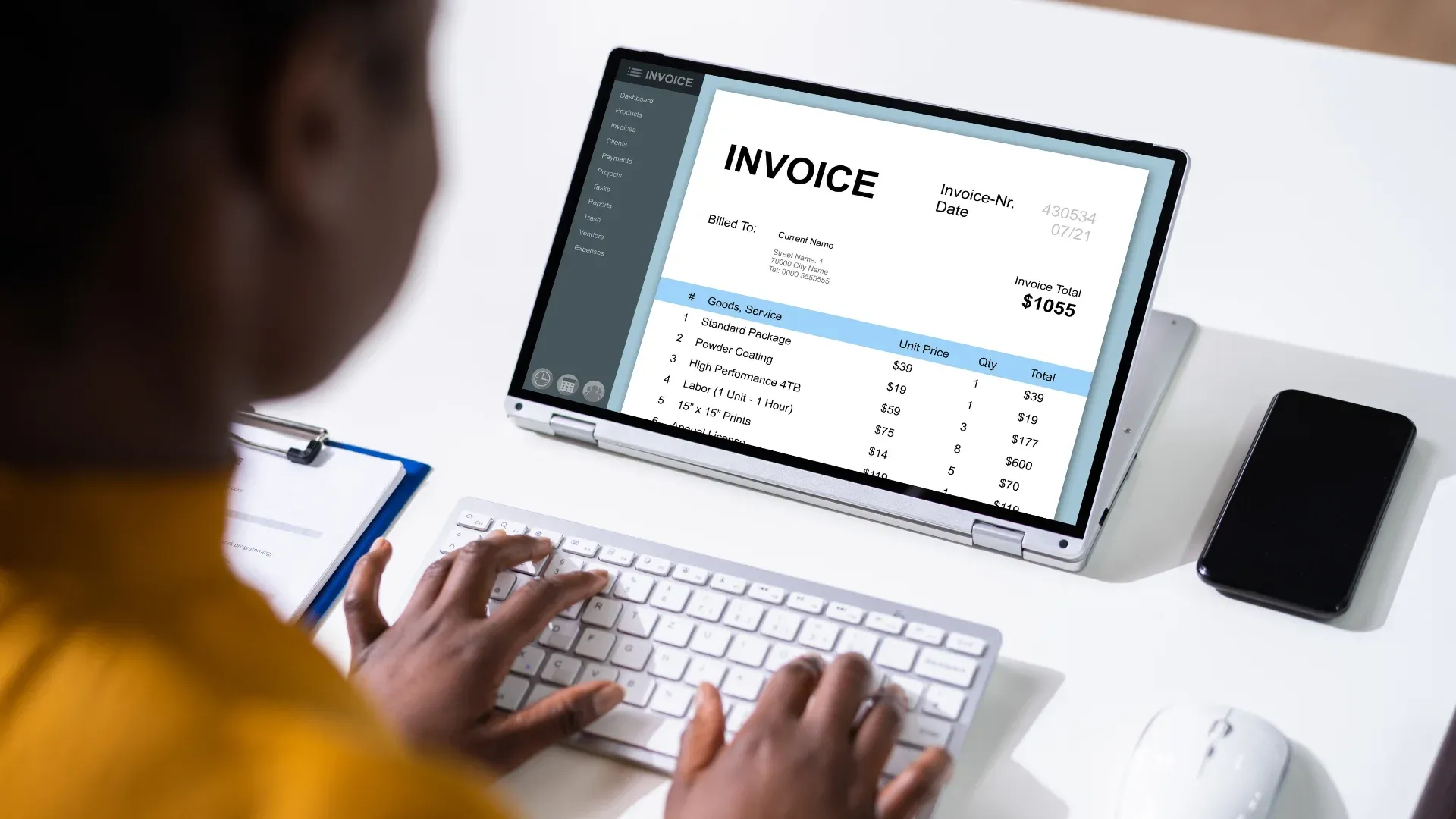
An invoice lands in the shared AP inbox at 4:47 PM on a Thursday. It is a PDF, sent as an attachment, from a vendor the company has worked with for six years. Somewhere in that document sits a PO number, three line items, a tax calculation, and a due date. None of that data means anything to SAP yet. Someone has to open the file, read it, type the numbers into a form or a transaction screen, check it against the purchase order, and decide whether it is ready to post or whether it needs a manager's sign-off first.
Multiply that by four hundred invoices a month, from vendors who all format things differently, and the AP team spends most of its week doing data entry instead of accounting.
This is the part of accounts payable that automation should have solved years ago, and in a lot of companies it still has not. Not because the technology did not exist, but because most of what got sold as "invoice automation" was really just faster scanning. The invoice still needed a human to catch the exceptions, and the posting into SAP still needed a separate manual step. Artificio built its AP Studio around a different idea: a form-based intake layer that reads the invoice for you, checks it against what SAP already knows, and only asks a person to get involved when a real decision needs to be made.
Why Invoice Intake Is Still the Bottleneck
Every AP team already has some version of a matching process. The invoice should tie to a purchase order, the purchase order should tie to a goods receipt, and if all three numbers agree, the invoice gets paid. That part is not new. What breaks the process is everything that happens before the matching even starts.
Invoices arrive as PDFs, scanned images, forwarded emails with the actual invoice buried three replies deep, and the occasional photo of a printed page. Line items are labeled differently from vendor to vendor. Tax is sometimes broken out and sometimes folded into the total. A PO number might be written correctly, written with a typo, or missing entirely because the vendor's own system does not carry it forward. None of this is unusual. It is just the normal condition of a real AP inbox, and templated OCR tools tend to fall apart the moment a layout does not match what they were trained on.
The result is a team that spends its time re-keying numbers by hand, cross-checking totals against a PO in a separate SAP window, and manually deciding which invoices are safe to post and which ones need someone else's approval. Every one of those steps is a place where a duplicate slips through, a typo turns into an overpayment, or an invoice sits untouched for two weeks because the person who should approve it is out of office and nobody thought to route it anywhere else.
A Form That Reads the Invoice For You
Artificio's approach starts with a form, but not the kind of form where a clerk types in numbers from a printed page. The form is the interface. The data entry is done by AI.
When an invoice comes in, whether it is uploaded directly, dropped into a monitored folder, or forwarded from an email inbox, Artificio's extraction engine reads it the way a person would: it identifies the vendor, pulls the invoice number and date, extracts every line item with its quantity, unit price, and tax treatment, and captures the PO reference if one exists. It does this regardless of the invoice's layout, so a two-line utility bill and a twelve-page itemized services invoice both come out the other side as structured data, sitting inside a form that a person can review in seconds instead of minutes.
That structured data does not just sit there waiting for someone to check it. Artificio validates it immediately against what SAP already knows: the vendor master record, any open purchase orders, prior goods receipts or service entry sheets, and the company's own approval thresholds. This is the step that decides what happens next, and it happens automatically, before anyone on the AP team even opens the invoice.
If the invoice matches cleanly, meaning the vendor is known, the PO ties out, and the amount falls within the standing approval thresholds, Artificio posts it directly into SAP through OData services. No batch input session, no screen scraping, no second person re-entering what the first person already confirmed. If anything about the invoice does not clear validation, it does not get stuck in a generic "needs review" pile. It gets routed to the specific person who should look at it, with the reason for the hold already attached.
The Email Approval Workflow: Getting Exceptions to the Right Person, Fast
The exception workflow is where a lot of automation projects quietly become manual again. An invoice fails matching, gets flagged, and then sits in a queue that nobody checks until someone complains about a late payment. Artificio handles this differently by routing exceptions through email, which is the one interface every approver in the company already checks without being trained on new software.
When an invoice needs approval, whether because it is a first-time vendor, the amount exceeds a threshold, or a line item does not tie out to the PO, Artificio sends the approver an email that already contains everything they need to make a decision. The extracted invoice data, the specific reason it was flagged, and a clear approve or reject action are all right there. The approver does not need to log into SAP, open a separate portal, or dig through an attachment to find the number that triggered the exception. They see the invoice, they see why it stopped, and they act on it.
This matters more than it sounds like it should. A workflow tool that requires a new login and a new interface gets ignored, especially by approvers outside the finance team who might touch three or four invoices a month. Email does not have that problem. Once the approver responds, Artificio picks the decision back up automatically. Approved invoices post to SAP the same way a clean match would have posted, through OData, without a second manual entry step. Rejected invoices get logged with the reason and routed back to AP for follow-up with the vendor.
The approval routing itself is not static either. Different exception types can go to different people. A pricing variance on a materials PO might go to procurement, while a first-time vendor invoice might go to the AP manager, and an amount above a certain threshold might require a second signature regardless of who the first approver was. Artificio applies whatever routing logic the company has defined, so the right person sees the right invoice the first time instead of a single overloaded inbox catching everything and sorting it out by hand.
Posting Directly Into SAP, Without a Second Manual Entry
The step that separates real automation from assisted data entry is what happens after an invoice is approved, whether that approval came automatically through matching or manually through the email workflow. In a lot of AP setups, this is where the automation stops. Someone still has to open SAP and key in what was just extracted, which means every invoice gets typed twice: once by the extraction tool and once by a person confirming it.
Artificio closes that gap by posting directly into SAP using OData services. Once an invoice clears validation, whether through automatic matching or through an approver's sign-off, it goes into SAP as a finished transaction. No batch input sessions, no intermediate staging file that someone has to release manually, no re-keying. The vendor, the amounts, the GL account or cost center assignment, and the reference to the source invoice document all move into SAP together, and the transaction carries a full audit trail back to the original PDF or scan.
This also means the SAP side of the process reflects reality faster. An invoice that clears on Monday morning posts on Monday morning, not three days later when someone finally gets to the batch queue. For AP teams managing early payment discounts or trying to stay ahead of due dates, that speed is not a convenience. It is the difference between capturing a 2 percent discount and missing it.
Holds for One-Time Payments and Vendor Exceptions
Not every invoice fits neatly into the matched-PO pattern, and this is where a lot of rules-based tools either force a bad match or dump everything into the same undifferentiated review pile. Artificio treats one-time payments and vendor exceptions with the same care it applies to standard matching, using the same email approval mechanism rather than a separate, bolted-on process.
A one-time payment, like an event sponsorship or a trade show booth fee, usually has no existing vendor master record in SAP and no purchase history to validate against. There is nothing to match the invoice to, so Artificio does not try. It extracts the invoice data in full and routes it straight into the approval workflow, every time, by design. The approver reviews the extracted details, confirms the payment is legitimate, and either approves it for one-time vendor setup and payment or rejects it. Because there is no history to lean on, human judgment stays in the loop for exactly the invoices where it matters most.
Vendor exceptions work on a similar principle. If a vendor that normally goes through a purchase order suddenly sends a no-PO invoice, or if an established vendor's payment details change, or if an invoice comes in from a vendor whose master record looks incomplete, Artificio does not force a match that should not happen automatically. It holds the invoice and sends it through the same email approval path, flagged with the specific inconsistency: no purchasing history for a vendor with a PO pattern, a payment method that does not match the vendor master, an amount that is unusual relative to what this vendor has invoiced before. The approver gets a clear reason, not a vague "please review" notice.
Treating these cases through the same workflow the rest of AP already uses keeps the process simple for the team. There is no separate tool for exceptions, no second login, no different set of instructions to remember. An approver who already knows how to act on a routine variance email knows exactly what to do with a one-time payment request, because the interface and the decision points look the same.
Handling Whatever Format the Vendor Sends
A detail that gets underestimated in most AP automation conversations is just how much vendor formatting varies, and how much that variation costs a team that relies on templates. A national logistics vendor might send a clean, structured PDF generated straight from their billing system. A regional contractor might send a scanned paper invoice with handwritten notes in the margin. A SaaS vendor might email a receipt-style invoice with no formal line-item table at all, just a description and a total. Template-based tools need a separate configuration for each of these, and every new vendor or format change becomes a support ticket.
Artificio's extraction layer does not work off templates. It reads the document the way a person would, identifying the vendor, the invoice number, the line items, and the totals based on what the content actually says rather than where it sits on the page. This is what allows the same intake form to handle a structured PDF, a scanned image, and an emailed receipt without separate setup for each. When a new vendor sends its first invoice, there is no onboarding step where someone has to map fields to a template. The form just works.
This flexibility carries through to line items as well. Vendors describe the same product or service differently from one invoice to the next, and units of measure do not always match what SAP has on file for the PO. A vendor invoice might list "50 units" where the PO says "50 EA," or describe a line item with slightly different wording than the original purchase order. Artificio's matching logic accounts for this kind of variation instead of requiring an exact string match, which is often the real reason a "3-way match" system reports more exceptions than the AP team expects. The invoice was not actually wrong. It was just described a little differently than SAP expected, and a rigid matching rule could not tell the difference.
Where This Fits Alongside Existing AP Controls
None of this requires an AP team to throw out its existing approval hierarchy or its SAP configuration. Artificio works with the thresholds, approval chains, and validation rules a company already has in place. If a controller wants every invoice over a certain amount to require dual sign-off regardless of match status, that rule applies before anything posts automatically. If procurement wants first-time vendors flagged for review even when the invoice amount is small, that rule applies too.
The intake form and the email approval workflow are the layer that makes those existing controls easier to enforce consistently, not a replacement for them. A rule that lives only in a person's memory, like "always double check invoices from this one vendor," gets missed on a busy day. A rule that is built into the validation logic gets applied every single time, on every invoice, without depending on someone remembering it.
Frequently Asked Questions
Does the AP team need to change how it works with SAP to use this? No. Artificio posts through OData services using the company's existing SAP configuration, vendor master data, and GL structure. The team keeps working in SAP the same way for anything that still needs a manual touch.
What happens if an invoice does not match any known format? There is no format requirement. Artificio extracts data based on content rather than layout, so unfamiliar invoice formats are read the same way as familiar ones, without a separate setup step.
Who receives the approval emails for exceptions? Routing depends on the reason for the exception and the rules a company defines. A pricing variance might route to procurement, a first-time vendor might route to the AP manager, and amounts above a set threshold can require a second approver regardless of who reviewed it first.
Does every one-time payment or vendor exception require manual approval? Yes, by design. Invoices with no vendor master record or no established payment history always route to the email approval workflow rather than posting automatically, since there is no prior data to validate against.
How does the system get faster over time for a specific vendor? Every approved invoice adds to that vendor's documented history in SAP. Once a vendor builds a consistent, approved payment pattern, invoices from that vendor can qualify for the same straight-through posting that established lease or utility payments already receive.
What This Changes for an AP Team
The obvious benefit is speed. Invoices that used to sit in a queue for a day or two while someone manually keyed them into SAP now post within minutes of arriving, if they clear validation. But the more meaningful change is what happens to the AP team's time. Instead of spending the bulk of the week on data entry and manual cross-checking, the team spends its time on the invoices that actually need a decision, which is a much smaller set once the routine matching is handled automatically.
Audit readiness improves for the same reason. Every posted invoice carries a full trail back to the source document, the validation that was run against it, and, for anything that went through approval, who approved it and when. That is a stronger control environment than a process where an AP clerk's judgment call is the only record of why an invoice was posted, because the reasoning is captured automatically instead of living in someone's memory.
There is also a compounding effect that is easy to miss at first. Every invoice that gets approved through the email workflow adds to the vendor's payment history in SAP, which is exactly the data Artificio uses to decide whether future invoices from that vendor can post automatically. A vendor that starts out requiring approval on every no-PO invoice can, over time, build enough of a documented payment pattern that Artificio recognizes it as routine, the same way it already does for established lease and utility payments. The system gets smarter about a specific vendor relationship without anyone needing to configure a rule for it.
None of this replaces the AP team's judgment. It just moves that judgment to the invoices where it actually adds value, the first-time vendor, the unusual variance, the payment that does not fit an established pattern, and lets the routine, well-documented invoices move through on their own. For a team buried under four hundred invoices a month, that difference is not incremental. It is the difference between a job that is mostly typing and a job that is mostly accounting.
An AP department running this way is not chasing a smaller inbox. It is running the same volume of invoices with far less manual handling, faster payment cycles, and a cleaner audit trail behind every transaction that touches SAP.